
Instagram Edits App Download 2026 – Free Video Editor for Reels
Instagram Edits App Download 2026 – Free Video Editor for Reels
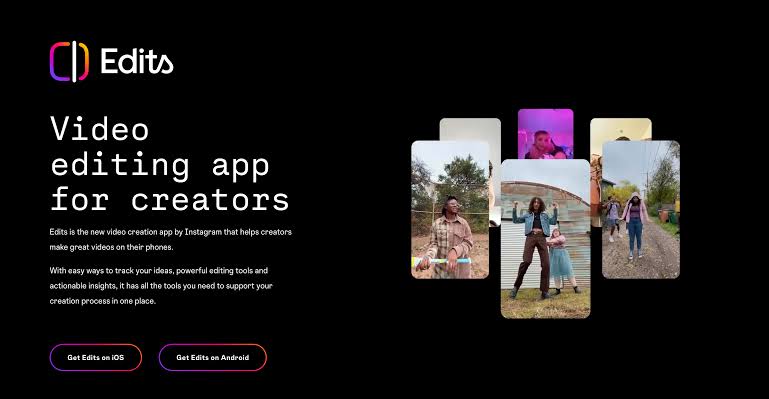
Instagram Edits is a free video editing app made for people who create content for social media. It helps you make Instagram Reels, TikTok videos, YouTube Shorts, and other short videos. Moreover, it offers useful editing tools in one simple app.
Many creators use short videos to share their ideas, promote products, and grow their social media accounts. However, making good videos can take time when you use several different apps. Instagram Edits makes this process easier by bringing video editing, captions, effects, and creative tools together.
The app has gained strong attention from content creators. In addition, its recent updates have added more features for people who want better control over their videos. This guide explains its main features, download options, system support, and how to edit your first video.
What Is Instagram Edits App?
Instagram Edits is a video editor developed by Instagram, which is owned by Meta. It is designed for creators who want to record, edit, and share videos without using complicated editing software.
You can cut clips, add music, apply effects, create captions, and adjust video settings. For example, you can prepare a short travel video or make a product promotion for your business.
The app also includes tools for finding ideas and checking how your Reels perform. Therefore, it can help with both video editing and content planning.
Main Features of Instagram Edits
Instagram Edits includes several tools for beginners and experienced creators. Here are some of its most useful features.
1. Free Video Editing
The main editing tools are available without buying a subscription. You can trim clips, arrange scenes, add text, and make changes to your videos.
As a result, beginners can start editing without paying for expensive software.
2. 4K Video Export
Edits supports video exports up to 4K resolution on supported devices and settings. This allows creators to save high-quality videos for social media and other platforms.
However, the final quality also depends on your original footage and device.
3. No Watermark on Exports
One useful feature is watermark-free video export. Your finished video does not need to show an Edits logo just because you used the app.
This is helpful for creators who share content on TikTok, YouTube, Instagram, and other platforms.
4. Automatic Captions
The app can generate captions for your videos. You can then adjust their appearance and position.
Moreover, captions can make videos easier to follow when viewers watch without sound.
5. AI Image Animation
Edits includes AI tools that can bring still images to life. For example, you can use an image as a starting point for a short animated clip.
The available AI tools and usage limits may change with updates.
6. Green Screen and Background Editing
You can use green screen and cutout tools to change the look of your video. In addition, video overlays let you place one clip over another.
These tools are useful for reaction videos, tutorials, and creative Reels.
7. Sound and Voice Effects
Edits offers sound effects, voice effects, and audio tools. You can also improve voice clarity and reduce unwanted background noise.
Therefore, it can help make your videos sound cleaner without a separate audio editor.
8. Video Insights
The app includes a dashboard for checking how your Reels perform. You can review useful information about views and audience activity.
As a result, creators can learn which videos attract more attention and plan future posts.
9. Trending Audio and Ideas
Edits includes an area for discovering video ideas and trending audio. You can save ideas and return to them when you are ready to create.
Furthermore, this can help you plan content around current social media trends.
10. Desktop Editing on Mac
Instagram introduced a Mac desktop version of Edits in November 2026. It provides a larger workspace for editing projects with a mouse, keyboard, and multi-track timeline.
The desktop version also supports features such as keyframes, audio waveforms, automatic captions, and 4K exports. However, a Windows desktop release has not been officially confirmed in the information covered by this guide.
What’s New in Instagram Edits 2026?
Instagram has continued to improve Edits with new tools for creators. Recent updates have focused on editing, AI assistance, and desktop support.
Some notable features and updates include:
- A Mac desktop version for larger editing projects.
- A multi-track timeline for better control over clips.
- Keyframes for transitions and video effects.
- Automatic captions in multiple languages.
- AI-powered image animation.
- Improved audio tools and voice effects.
- More video templates and creative options.
- Better insights for understanding Reel performance.
- Support for creating and editing carousels on supported versions.
Moreover, Instagram has been adding updates to improve the editing process. Check the official app listing to see which features are available in your region and on your device.
Instagram Edits System Requirements
The mobile app is available for supported Android and iOS devices. The Mac desktop version is another option for creators who prefer editing on a computer.
| Requirement | Details |
|---|---|
| App Name | Instagram Edits |
| Developer | |
| Latest Guide Year | 2026 |
| Android | Supported Android devices |
| iPhone | Supported iOS devices |
| Mac | Desktop version available |
| Windows | No confirmed desktop release |
| Main Use | Short-form video editing |
| Export Quality | Up to 4K on supported devices |
| Watermark | No watermark on standard exports |
| Price | Free core app |
| Internet | Needed for downloads and some online features |
Actual device support can vary. Therefore, check the Google Play Store or Apple App Store before installing the app.
How to Download Instagram Edits App
You can download Instagram Edits from the official app stores. Follow the steps below to get started.
Step 1: Open the App Store
Android users can open Google Play Store. iPhone users can open the Apple App Store.
Step 2: Search for Instagram Edits
Type Edits: Video Editor in the search bar. Check that Instagram is listed as the developer before installing the app.
Step 3: Install the App
Tap Install or Get and wait for the download to finish. The app will then appear on your device.
Step 4: Open Edits
Launch the app and follow the setup instructions. Sign in or connect your Instagram account if the app asks you to do so.
Step 5: Start a New Project
Choose your video clips and add them to a new project. You can then arrange the clips and start editing.
Official download links:
- Android: https://play.google.com/store/apps/details?id=com.instagram.basel
- iPhone: https://apps.apple.com/app/edits-an-instagram-app/id6738967378
How to Edit a Video with Instagram Edits
Creating a video is simple once you understand the basic tools. Follow these steps to make your first Reel.
Step 1: Create a Project
Open Edits and start a new project. Select the video clips or photos you want to use.
Step 2: Arrange Your Clips
Move your clips into the correct order. You can also trim unwanted parts to make the video shorter and more interesting.
Step 3: Add Text and Captions
Use the text tool to add titles or short messages. You can also generate automatic captions and adjust their style.
Step 4: Add Music and Effects
Choose suitable audio, sound effects, or visual effects. However, make sure you have the right to use the music when posting outside Instagram.
Step 5: Adjust Video Settings
Check the video format and export quality. For Reels and TikTok, vertical video is usually a suitable choice.
Step 6: Export Your Video
Preview the finished project and make any final changes. Finally, export the video and share it on your preferred social platform.
Instagram Edits vs CapCut
Both apps are useful for short-form video editing. However, each one offers a different experience.
| Feature | Instagram Edits | CapCut |
|---|---|---|
| Main Purpose | Social media videos | General video editing |
| Mobile App | Yes | Yes |
| Mac Desktop | Yes | Yes |
| Windows Desktop | Not confirmed | Yes |
| 4K Export | Supported | Supported on eligible plans and settings |
| Automatic Captions | Yes | Yes |
| AI Tools | Yes | Yes |
| Watermark-Free Export | Yes | Depends on feature and export |
| Free Version | Yes | Yes, with paid features |
Instagram Edits is a good option for creators who mainly make Reels and short videos. On the other hand, CapCut offers a different range of templates and editing tools.
You can also read our guide to OBS Studio if you want to record your computer screen or create tutorial videos.
Advantages and Disadvantages of Instagram Edits
Advantages
- Free core video editing tools.
- Easy interface for beginners.
- Supports 4K exports on supported devices.
- No watermark on standard exports.
- Automatic captions.
- Useful AI editing tools.
- Video insights for creators.
- Mobile and Mac editing options.
Disadvantages
- Windows desktop support is not confirmed.
- Some AI features may have usage limits.
- Advanced tools may take time to learn.
- Some features need an internet connection.
- Device support can vary.
Who Should Use Instagram Edits?
Instagram Edits can be useful for different types of content creators.
TikTok Creators
TikTok creators can use Edits to prepare short videos, add captions, and export content for sharing.
Instagram Influencers
Instagram creators can edit Reels and review performance information in one place. In addition, they can save ideas for future posts.
YouTube Shorts Creators
The app can help create vertical videos for YouTube Shorts. You can add text, effects, music, and captions before exporting.
Small Business Owners
Small businesses can use Edits to create product videos, promotions, and simple advertisements. This can help them share content without hiring a video editor for every project.
Beginners
New users can start with basic trimming, text, and audio tools. Therefore, they do not need advanced editing skills to make their first video.
Frequently Asked Questions
1. Is Instagram Edits free?
Yes. The core Edits app is free to download and use. Meta has also announced additional paid features, but you can use the main editing tools without buying a subscription.
2. Does Instagram Edits add a watermark?
No. Standard exports can be saved without an Edits watermark. This makes it useful for sharing videos on different social platforms.
3. Can I use Instagram Edits for TikTok?
Yes. You can export your finished videos and upload them to TikTok. However, check the music and content rights before sharing.
4. Does Instagram Edits support 4K video?
Yes. The app supports exports up to 4K on supported devices and settings. The available quality can depend on your footage and device.
5. Is Instagram Edits available for PC?
A Mac desktop version was introduced in November 2026. However, a Windows desktop version has not been officially confirmed in this guide.
6. Is Instagram Edits better than CapCut?
It depends on your needs. Edits is useful for Instagram creators and offers free editing tools, while CapCut has its own templates, effects, and desktop options.
7. Can beginners use Instagram Edits?
Yes. The app has a simple interface and basic editing tools. Beginners can learn to trim clips, add text, and create captions without much experience.
8. Can I use Instagram Edits without an Instagram account?
Some features may require an Instagram account or login. Follow the app’s setup instructions to see which tools are available without signing in.
9. Does Instagram Edits have AI features?
Yes. It includes AI-powered tools such as image animation and other creative features. The available tools may change with app updates.
10. Where can I download Instagram Edits safely?
Download it from Google Play Store or Apple App Store. Always check that Instagram is listed as the developer before installing.
Final Thoughts
Instagram Edits is a useful free video editor for people who create Reels, TikTok videos, and YouTube Shorts. It brings video editing, automatic captions, audio tools, effects, and content insights into one app.
Moreover, the addition of Mac desktop editing makes it more useful for creators who want a larger workspace. Although some advanced features may have limits, the free tools offer a good starting point for beginners and regular social media users.
If you want to create better short videos without using several different apps, Instagram Edits is worth trying. Download it from the official app store and explore its features.


Recent Comments