
AutoCAD 2027 Crack Download for PC – Full Guide
AutoCAD 2027 Crack Download for PC – Full Guide
AutoCAD 2027 is a powerful computer-aided design (CAD) program used by architects, engineers, designers, and construction professionals. It helps users create accurate 2D drawings and detailed 3D models. Moreover, the latest version introduces AI-powered assistance, better drawing tools, and improved collaboration features.
Many users search for AutoCAD 2027 Crack Download because they want to access professional design tools without paying for a subscription. However, unofficial installers can contain malware, steal personal information, or damage important project files. Therefore, this guide explains the latest features, system requirements, installation process, and safer ways to use AutoCAD.
Whether you are a student, architect, civil engineer, or professional designer, AutoCAD offers tools for many design tasks. Let’s explore what makes the 2027 version useful.
What Is AutoCAD 2027?
AutoCAD 2027 is a professional CAD application developed by Autodesk. It allows users to create, edit, and manage technical drawings with precision.
The software is widely used in architecture, mechanical engineering, electrical design, construction, and product development. In addition, it supports DWG files, which are commonly used for sharing CAD drawings.
Users can create floor plans, building layouts, mechanical parts, technical diagrams, and other design projects. As a result, AutoCAD has become an important tool in many technical industries.
The 2027 release also introduces improved AI assistance and cloud-based collaboration features. These updates help users manage drawings and complete common design tasks more efficiently.
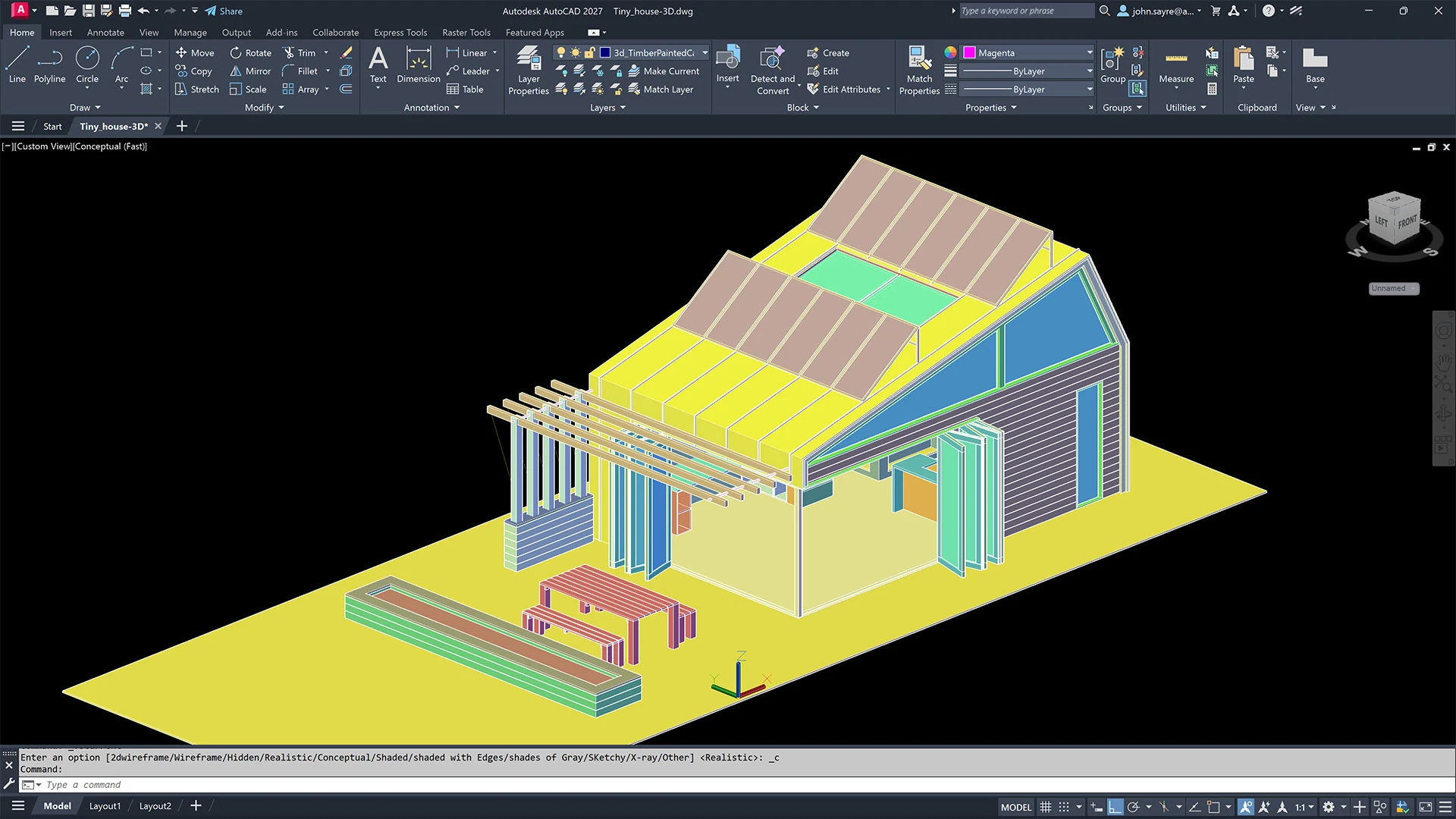
Main Features of AutoCAD 2027
AutoCAD 2027 includes several tools that make technical drawing and design work easier. Here are its important features.
1. Autodesk Assistant
Autodesk Assistant brings AI-powered help directly into AutoCAD. It can provide guidance based on the drawing context and user requests.
For example, users can ask questions about CAD standards and get help with selected drawing information. Therefore, it can reduce the time spent searching through menus and documentation.
2. Geometry Cleanup
Geometry Cleanup helps identify common drawing errors. These may include gaps, overshoots, undershoots, and misaligned angles.
The tool suggests targeted fixes for detected problems. Moreover, it can help improve drawing quality before files are shared with other team members.
3. Forma Data Management Essentials
AutoCAD 2027 includes Forma Data Management Essentials with standalone subscriptions.
This feature supports cloud-based project management and helps teams organize their drawing files. In addition, it makes it easier to work with shared project data.
4. Checkout for Shared Drawings
Checkout improves collaboration when several people work on shared DWG files.
Users can reserve specific geometry for editing instead of taking control of the entire drawing. As a result, teams can coordinate changes more effectively.
5. Connected References
External references are important in large CAD projects. AutoCAD 2027 improves the management of connected references and helps users deal with moved or renamed files.
This can reduce broken reference problems. Therefore, it is useful when working with drawings that depend on several external files.
6. Improved 2D Drawing Tools
AutoCAD includes familiar drafting tools for creating lines, circles, dimensions, shapes, and technical layouts.
Users can also work with layers, blocks, annotations, and drawing properties. Furthermore, these tools help maintain accuracy across large projects.
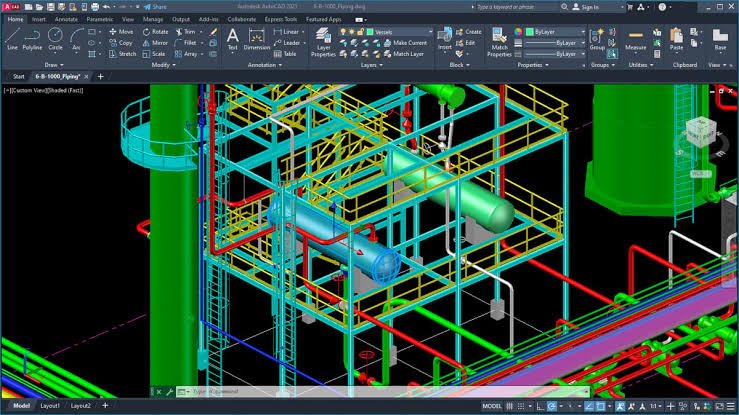
7. 3D Modeling
AutoCAD provides 3D modeling tools for creating objects and viewing designs from different angles.
Users can create 3D shapes, modify surfaces, and inspect models before moving to later design stages. However, complex models need more powerful hardware.
8. DWG File Support
DWG is a common file format used in CAD workflows. AutoCAD allows users to create, edit, and save DWG drawings.
It also supports several other formats for importing and exporting design data. Consequently, users can share projects with different teams and applications.
What’s New in AutoCAD 2027?
The 2027 release focuses on smarter assistance, collaboration, and drawing improvements.
Some important updates include:
- Autodesk Assistant with contextual AI guidance.
- Improved Geometry Cleanup tools.
- Forma Data Management Essentials.
- Checkout for shared drawing geometry.
- Better Connected References.
- Connected Support Files.
- Improved Sheet Set Manager workflows.
- Better polyline grip editing.
- Improvements to array editing.
- Updated SAVEAS behavior.
Moreover, the AutoCAD 2027.1 update adds further improvements to Autodesk Assistant and shared drawing workflows. These changes help make everyday CAD tasks smoother.
AutoCAD 2027 System Requirements
Before installing AutoCAD 2027, check whether your PC meets the required specifications.
Minimum System Requirements
| Component | Minimum Specification |
|---|---|
| Operating System | Windows 11 64-bit |
| Processor | 2.5–2.9 GHz processor with 8 logical cores |
| RAM | 16 GB |
| Graphics Card | 2 GB GPU with 29 GB/s bandwidth |
| DirectX | DirectX 11 compatible |
| Display Resolution | 1920 × 1080 |
| Storage | 10 GB available space |
| Disk Type | SSD suggested |
| .NET | .NET 10 |
Recommended System Requirements
| Component | Recommended Specification |
|---|---|
| Operating System | Windows 11 64-bit |
| Processor | 3+ GHz base, 4+ GHz turbo |
| RAM | 32 GB |
| Graphics Card | 8 GB GPU with 106 GB/s bandwidth |
| DirectX | DirectX 12 compatible |
| Display Resolution | Up to 3840 × 2160 |
| Storage | SSD suggested |
| .NET | .NET 10 |
These specifications are for the standard Windows version of AutoCAD 2027. Specialized toolsets and large 3D projects may need additional memory and storage.
How to Download AutoCAD 2027 for PC
The safest way to install AutoCAD is through Autodesk’s official website. Follow these steps to get started.
Step 1: Visit Autodesk
Open the official Autodesk website and find the AutoCAD product page.
Step 2: Choose a Trial or Subscription
Check the available subscription options. If you want to test the software first, look for the official free trial.
Step 3: Sign In to Your Account
Create an Autodesk account or sign in to your existing account. Follow the instructions shown on the website.
Step 4: Download the Installer
Select the appropriate Windows version and download the official installer.
Step 5: Install AutoCAD
Open the downloaded setup file and follow the installation instructions. Make sure your computer has enough free storage.
Step 6: Sign In and Start Designing
After installation, launch AutoCAD and sign in with your Autodesk account. Finally, open a new drawing or an existing DWG project.
Official AutoCAD page: https://www.autodesk.com/products/autocad/overview
Is AutoCAD 2027 Crack Download Available?
AutoCAD 2027 Crack Download is a search phrase used by people looking for an unofficial copy of the software. However, a website advertising a working crack does not prove that its files are genuine or safe.
Unofficial installers may contain harmful programs, password stealers, or unwanted applications. They can also cause installation errors and damage important design files.
In addition, modified software may not receive official updates or work correctly with Autodesk services. For this reason, avoid unknown installers, key generators, and activation tools.
Never disable Windows Defender just to run an unverified setup file. Instead, use Autodesk’s official trial or a suitable subscription.
AutoCAD 2027 vs AutoCAD 2026
AutoCAD 2027 builds on the previous release with improvements to AI assistance, drawing cleanup, and collaboration.
| Feature | AutoCAD 2027 | AutoCAD 2026 |
|---|---|---|
| Autodesk Assistant | Enhanced AI assistance | Earlier experience |
| Geometry Cleanup | Available | Not included as the same 2027 feature |
| Forma Data Management | Included with standalone subscriptions | Different availability |
| Checkout | Improved shared drawing workflow | Not available in the same 2027 form |
| Connected References | Improved workflows | Earlier reference management |
| Drawing Tools | Updated features | Existing drafting tools |
| DWG Support | Yes | Yes |
Both versions support professional CAD work. However, AutoCAD 2027 adds new tools for users who need better drawing management and collaboration.
Advantages and Disadvantages of AutoCAD 2027
Advantages
- Professional 2D drafting tools.
- 3D modeling capabilities.
- AI-powered Autodesk Assistant.
- Improved Geometry Cleanup.
- Better shared drawing workflows.
- DWG file support.
- Useful tools for architecture and engineering.
- Cloud-based project management features.
Disadvantages
- Paid subscription for full commercial use.
- Requires a 64-bit Windows 11 system.
- Recommended hardware can be expensive.
- Complex projects may need more RAM.
- New users may need time to learn the interface.
Who Should Use AutoCAD 2027?
AutoCAD is designed for people who work with technical drawings and digital designs.
Architects
Architects can create floor plans, building layouts, elevations, and technical drawings. In addition, layers and dimensions help organize complex projects.
Civil Engineers
Civil engineers can use AutoCAD for site layouts, construction drawings, and technical plans. It also helps teams share design files.
Mechanical Engineers
Mechanical designers can create accurate technical drawings and 3D models of different components.
Electrical Designers
Electrical professionals can prepare technical layouts and diagrams. Specialized Autodesk toolsets may also support more specific workflows.
Students
Students can use AutoCAD to learn CAD concepts and practice technical drawing. However, they should check Autodesk’s education access options for eligibility.
Useful Tips for AutoCAD Users
A few simple habits can make CAD work more organized.
- Save your drawings regularly.
- Use layers to organize different objects.
- Keep backup copies of important DWG files.
- Use clear file names for project versions.
- Check dimensions before sharing drawings.
- Keep graphics drivers updated.
- Use an SSD for better file handling.
- Learn keyboard shortcuts to save time.
Furthermore, if you create tutorials or record your design process, you can explore our OBS Studio guide for information about screen recording.
Frequently Asked Questions
1. Is AutoCAD 2027 available for Windows?
Yes. AutoCAD 2027 is available for supported Windows systems. The published Windows requirements specify Windows 11 64-bit.
2. Is AutoCAD 2027 free to download?
AutoCAD is commercial software. Autodesk provides an official trial, while continued access generally requires an eligible subscription or license.
3. How much RAM does AutoCAD 2027 need?
The minimum Windows requirement is 16 GB RAM. Autodesk recommends 32 GB for a better experience.
4. Does AutoCAD 2027 support Windows 10?
The published Windows requirements for AutoCAD 2027 specify Windows 11 64-bit. Check Autodesk’s support information before installing it on an older operating system.
5. What is the latest AutoCAD 2027 feature?
Some major features include Autodesk Assistant, Geometry Cleanup, Forma Data Management Essentials, and improved Checkout workflows.
6. Can AutoCAD 2027 open DWG files?
Yes. AutoCAD supports DWG files, which are widely used for CAD drawings and design projects.
7. Can I use AutoCAD for 3D modeling?
Yes. AutoCAD includes tools for creating and editing 3D models, although specialized 3D workflows may require additional Autodesk products.
8. Is AutoCAD 2027 Crack Download safe?
Unofficial cracked installers are not verified by Autodesk. They may contain malware or cause software problems, so the official installer is the safer choice.
9. Is AutoCAD useful for students?
Yes. Students can learn technical drawing and CAD design with AutoCAD. Eligible students should check Autodesk’s education program for available access.
10. Where can I download AutoCAD 2027?
You can visit Autodesk’s official website to check the available trial, subscription, and installation options.
Final Thoughts
AutoCAD 2027 is a powerful design application for architects, engineers, students, and technical professionals. It combines accurate drafting tools with 3D modeling, AI assistance, and improved collaboration features.
Moreover, the latest release makes it easier to manage drawing errors and work with shared project files. Although many users search for AutoCAD 2027 Crack Download, unofficial installers can put their computers and project data at risk.
Therefore, the official Autodesk installer is the safer option. Check your PC specifications, explore the trial, and choose the right license for your design work.


Recent Comments