
FL Studio 2026 Crack Download – Full Version Guide for PC
FL Studio 2026 Crack Download – Full Version Guide for PC
FL Studio 2026 is a popular digital audio workstation (DAW) used by music producers, beat makers, DJs, and sound designers. It provides powerful tools for creating beats, recording vocals, mixing audio, and producing complete songs. Moreover, its simple interface makes it suitable for both beginners and professional music creators.
Many users search for FL Studio 2026 Crack Download because they want to use professional music production tools without purchasing a license. However, unofficial installers can contain malware, unwanted programs, or harmful files. Therefore, this guide explains the latest features, system requirements, music production tools, and safe download options.
Whether you create hip-hop beats, electronic music, background tracks, or professional recordings, FL Studio offers tools for different music styles. Let’s explore its features and learn how to get started.
What Is FL Studio 2026?
FL Studio is a digital audio workstation developed by Image-Line. It allows users to create, record, arrange, edit, mix, and master music from one application.
The software includes a step sequencer, Piano Roll, Channel Rack, Mixer, audio effects, and virtual instruments. As a result, users can build complete music projects without switching between several applications.
FL Studio supports Windows and macOS. In addition, it works with many third-party VST and AU plugins, giving producers more options for creating sounds.
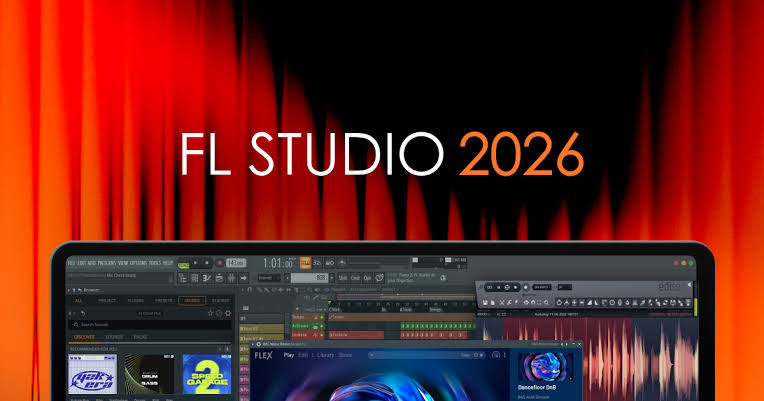
The 2026 release is part of FL Studio 26. Its newer updates include FL Cloud project backups, audio recording improvements, MIDI improvements, and additional music creation tools.
Main Features of FL Studio 2026
FL Studio includes many features for music production. Here are some of its most useful tools.
1. Step Sequencer
The Step Sequencer helps users create drum patterns and rhythms quickly. You can add kicks, snares, hi-hats, and other sounds with a few clicks.
Moreover, it is useful for building the basic structure of a beat before arranging the full track.
2. Piano Roll
The Piano Roll is one of the most popular tools in FL Studio. It allows users to create melodies, chords, basslines, and MIDI patterns.
You can adjust note length, pitch, velocity, and timing. Therefore, it is useful for creating complex musical arrangements.
3. Channel Rack
The Channel Rack organizes instruments, samples, and patterns in one place. Users can build drum sequences and control different sound sources.
In addition, it makes it easier to manage the basic parts of a music project.
4. Mixer and Audio Effects
The Mixer helps users control volume, routing, and audio processing. You can add effects such as equalizers, compressors, reverb, and delay.
Furthermore, separate mixer tracks allow you to manage different instruments and vocals.
5. FL Cloud
FL Cloud provides access to music production resources and online services. It includes sample and sound content, with different features depending on the selected plan.
The 2026 updates also add FL Cloud project backups. Free accounts receive 500 MB of backup storage, while higher plans offer more space.
6. Audio Logger
The Audio Logger is a useful addition to the Tools menu. It records audio from the Master Mixer Track.
As a result, users can capture audio from their project while working. This can be helpful when testing sounds or recording musical ideas.
7. Chord Progression Tool
The Chord Progression tool helps users explore chord patterns for their music.
It can be useful for beginners who are learning music theory. Moreover, experienced producers can use it to experiment with new musical ideas.
8. MIDI Recording Improvements
FL Studio 2026 includes improvements to MIDI recording. The software can record incoming MIDI events more accurately and handle tempo changes during playback more reliably.
Therefore, it can provide a better experience when working with MIDI keyboards and controllers.
9. Built-In Instruments and Plugins
FL Studio includes several instruments and effects for creating different sounds.
Depending on the edition, users can access plugins for synthesizers, drums, sound design, and audio processing. In addition, third-party plugins can expand the available tools.
10. Audio and Music Export
Once your project is complete, FL Studio allows you to export music in formats such as WAV and MP3.
You can adjust export settings based on your needs. Consequently, your finished tracks can be prepared for sharing, publishing, or further editing.
What’s New in FL Studio 2026?
FL Studio 2026 introduces several improvements to its music production workflow.
Some important updates include:
- FL Cloud project backups.
- Audio Logger in the Tools menu.
- Improved MIDI recording accuracy.
- Separate audio input and output selectors on macOS.
- Chord Progression tool.
- Remix a Song tool.
- Guided Loop Starter tutorial.
- Step Sequencer tutorial.
- Improved plugin and account settings.
- Additional bug fixes and performance improvements.
Furthermore, Image-Line released several maintenance updates during 2026. These updates improve stability and fix issues reported by users.
The latest official Windows installer listed by Image-Line is version 26.1.7.5654. Always check the official download page for the newest build.
FL Studio 2026 System Requirements
Before installing FL Studio, make sure your computer meets the basic requirements.
Minimum System Requirements for Windows
| Component | Minimum Specification |
|---|---|
| Operating System | Windows 10 or Windows 11 |
| Processor | 2 GHz processor with SSE2 support |
| RAM | 4 GB |
| Storage | 4 GB free disk space |
| Processor Support | Intel and AMD |
| Graphics | Compatible graphics hardware |
| Architecture | Supported Windows system |
Recommended Requirements
| Component | Recommended Specification |
|---|---|
| Operating System | Windows 10 or Windows 11 |
| Processor | Quad-core CPU |
| RAM | 8–16 GB |
| Storage | SSD |
| Audio Hardware | Compatible audio interface |
| Additional Storage | Space for samples and plugins |
macOS Requirements
| Component | Requirement |
|---|---|
| Operating System | macOS 10.15.7 or newer |
| Processor | Intel or Apple Silicon |
| RAM | 4 GB minimum |
| Storage | 4 GB free disk space |
| Recommended RAM | 8–16 GB |
| Recommended System | macOS 13 or newer |
These requirements are based on Image-Line’s official download information. However, large projects with many plugins and audio tracks may need more memory and processing power.
How to Download FL Studio 2026 for PC
Image-Line provides an official installer for Windows and macOS. Follow these steps to install the software.
Step 1: Visit the Official Website
Open the Image-Line website and visit the FL Studio download page.
Step 2: Select Your Operating System
Choose the Windows or macOS installer based on your computer.
Step 3: Download the Setup File
Click the download option and wait for the installer to finish downloading.
Step 4: Install FL Studio
Open the downloaded setup file and follow the installation instructions.
Step 5: Launch the Software
After installation, open FL Studio from your desktop or Start menu.
Step 6: Start Creating Music
You can now explore the Channel Rack, Piano Roll, Mixer, and built-in instruments.
Official download page: https://www.image-line.com/fl-studio/download/
Is FL Studio 2026 Crack Download Available?
FL Studio 2026 Crack Download is a phrase many users search for when looking for an unofficial version of the music production software.
However, websites advertising cracked installers are not verified by Image-Line. Their files may include malware, unwanted browser extensions, or programs that can access personal information.
Modified installations can also cause plugin errors, project problems, and update failures. Therefore, downloading unknown activation tools or modified setup files is not recommended.
Image-Line provides a fully functional trial that never expires. You can use its features and export music, although saved projects cannot be reopened until you unlock the software with a license.
For this reason, the official trial is a safer way to test FL Studio before purchasing an edition.
FL Studio Editions Explained
Image-Line offers different editions for users with different music production needs.
| Edition | Main Purpose |
|---|---|
| Fruity Edition | Basic music creation and pattern-based production |
| Producer Edition | More complete recording and editing tools |
| Signature Bundle | Additional instruments and plugins |
| All Plugins Edition | Access to a wider collection of included plugins |
The exact plugins and features depend on the edition. Therefore, compare the official edition details before purchasing.
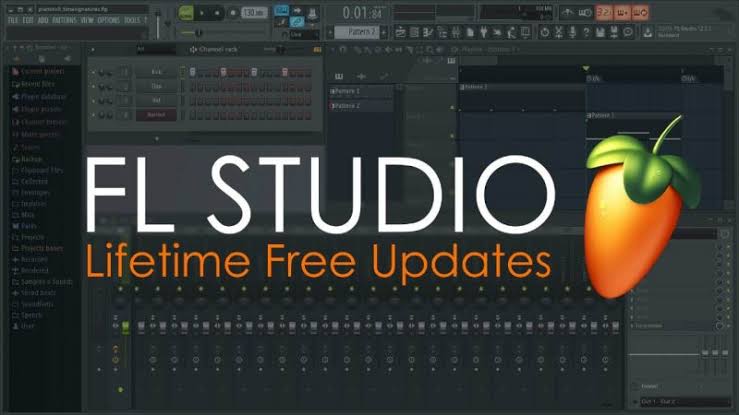
One important advantage is that Image-Line includes Lifetime Free Updates with paid FL Studio licenses. This means eligible owners receive future updates to their edition without paying for each new version.
FL Studio 2026 vs Previous Versions
FL Studio 2026 builds on earlier releases with improvements to recording, project backup, and music creation tools.
| Feature | FL Studio 2026 | Earlier Versions |
|---|---|---|
| FL Cloud Backups | Available | Not available in the same form |
| Audio Logger | Available | Not included |
| MIDI Recording | Improved | Earlier recording workflow |
| Chord Progression Tool | Added | Not included |
| Remix a Song | Added | Not included |
| Guided Tutorials | Updated | Earlier tutorial options |
| Lifetime Updates | Included with eligible paid licenses | Included with eligible paid licenses |
Both older and newer versions can be useful for music production. However, the latest release provides additional tools and improvements.
Advantages and Disadvantages of FL Studio 2026
Advantages
- Easy-to-use music production interface.
- Powerful Piano Roll.
- Built-in instruments and effects.
- Useful tools for beat making.
- Audio recording and editing.
- Support for third-party plugins.
- FL Cloud integration.
- Lifetime Free Updates with eligible paid licenses.
- Available for Windows and macOS.
Disadvantages
- Some advanced plugins require higher editions.
- Large projects can use significant CPU and RAM.
- Beginners may need time to understand music production.
- The trial cannot reopen saved projects.
- Professional audio interfaces may be needed for advanced recording setups.
Who Should Use FL Studio 2026?
FL Studio is useful for different types of music creators.
Beat Makers
Beat makers can use the Step Sequencer, Piano Roll, and built-in drum sounds to create rhythms and complete beats.
Music Producers
Producers can arrange instruments, record audio, mix tracks, and use effects to build complete songs.
YouTube Creators
YouTube creators can make background music, intro tracks, sound effects, and custom audio for their videos.
For screen recording tutorials, you can also explore our OBS Studio guide.
DJs and Electronic Music Creators
FL Studio provides tools for creating electronic music, remixes, and different sound patterns.
Beginners
New users can start with simple drum patterns and melodies. Moreover, the built-in tutorials can help them learn the basic workflow.
Useful Tips for FL Studio Users
Follow these tips to improve your music production experience.
- Save your projects regularly.
- Organize samples into folders.
- Use clear names for patterns and tracks.
- Keep backup copies of important projects.
- Learn Piano Roll shortcuts.
- Use mixer tracks to organize instruments.
- Avoid adding too many plugins at once.
- Keep your audio drivers updated.
- Export test versions before final rendering.
In addition, you can use audio editing software for more advanced sound processing. Our Adobe Audition guide explains another popular application for working with audio.
Frequently Asked Questions
1. Is FL Studio 2026 available for Windows?
Yes. Image-Line provides an official Windows installer for supported Windows 10 and Windows 11 systems.
2. Is FL Studio 2026 free?
FL Studio offers a free trial that never expires. It includes the software’s features, but saved projects cannot be reopened until you unlock the program with a license.
3. What is the latest FL Studio version?
The official Windows download page lists version 26.1.7.5654. Check Image-Line’s website for the latest build.
4. How much RAM does FL Studio need?
The minimum requirement is 4 GB RAM. However, Image-Line recommends 8–16 GB for smoother performance.
5. Can I use FL Studio on Windows 11?
Yes. FL Studio supports Windows 11, along with supported Windows 10 systems.
6. Does FL Studio support VST plugins?
Yes. FL Studio supports compatible third-party plugins, allowing users to add more instruments and audio effects.
7. Can FL Studio record vocals?
Yes. FL Studio includes audio recording and editing tools. You can record vocals using a compatible microphone or audio interface.
8. Is FL Studio 2026 Crack safe?
Unofficial cracked installers are not verified by Image-Line. They may contain malware or cause project and plugin problems. The official trial is a safer option.
9. Does FL Studio work on Mac?
Yes. FL Studio supports macOS 10.15.7 or newer and works with compatible Intel and Apple Silicon computers.
10. Does FL Studio provide free updates?
Paid FL Studio licenses include Lifetime Free Updates for the edition you own.
Final Thoughts
FL Studio 2026 is a powerful music production application for beat makers, DJs, music producers, and content creators. Its Piano Roll, Step Sequencer, Mixer, instruments, and audio effects provide tools for creating complete music projects.
Moreover, the 2026 updates improve MIDI recording, project backups, and everyday music production tasks. Although many users search for FL Studio 2026 Crack Download, unofficial installers can put their computers and music projects at risk.
Therefore, the official trial is a good way to explore the software before purchasing a license. Download it from Image-Line, learn the basic tools, and start creating your own music.


Recent Comments