
IObit Uninstaller 16 Crack + License Key Download (2026)
IObit Uninstaller 16 Crack + License Key Download (2026)
IObit Uninstaller 16 Crack is a popular search term among Windows users looking for advanced software removal tools. IObit Uninstaller is designed to remove unwanted applications, browser extensions, Windows apps, and leftover files from a computer. Unlike the standard Windows uninstall option, it also provides additional tools for managing installed programs.
The latest version, IObit Uninstaller 16.0.0, was released on September 9, 2026. This version introduces Software Relocator and Bloatware Remover, along with improvements to software cleanup and the user interface.
In this guide, you will learn about its latest features, important tools, system requirements, and installation process. We will also explain the difference between the Free and Pro editions.
What Is IObit Uninstaller 16?
IObit Uninstaller 16 is a Windows utility developed by IObit. It helps users remove programs that are no longer needed and clean up files left behind after uninstalling applications.
For example, some programs leave folders, temporary files, browser extensions, or other data after removal. IObit Uninstaller provides additional scanning options to help identify these leftovers.
Furthermore, it includes tools for managing browser add-ons, removing selected Windows apps, and handling applications that are difficult to uninstall.
If you regularly maintain your computer, you may also want to explore other Windows software and utility guides on PirateWares.
What’s New in IObit Uninstaller 16.0.0?
The latest release brings several useful improvements for software management.
1. Software Relocator
Software Relocator is one of the major additions in version 16. It helps move supported installed applications to another drive without requiring a complete reinstallation.
This feature can be useful when your C drive is running low on storage. Instead of immediately removing a large application, you can check whether it can be relocated to a drive with more available space.
2. Bloatware Remover
Many Windows computers include pre-installed applications and components that users may not need. The new Bloatware Remover helps identify and remove supported unwanted items.
However, you should review each item before removing it. Some Windows components are necessary for normal system operation.
3. Improved Software Health
The Software Health feature has received improvements to its scanning and cleanup capabilities. It helps identify unnecessary files and software-related leftovers.
As a result, users can review potential cleanup items from one place instead of searching through multiple folders manually.
4. Improved Powerscan
Powerscan has also been improved to provide more thorough detection of leftover files after uninstalling applications.
This can help when a normal uninstall process leaves behind folders or other unnecessary data.
5. Redesigned User Interface
Version 16 includes a redesigned interface with updated navigation. It also provides refined Dark and Light modes, allowing users to choose a preferred appearance.
The update additionally includes support for 39 languages.

Main Features of IObit Uninstaller 16
IObit Uninstaller offers several tools for everyday Windows maintenance.
Complete Program Removal
The software helps uninstall unwanted applications and scan for related leftover files. This is useful when you want to remove a program and clean up its remaining data.
Batch Uninstall
Users can select multiple applications and remove them in one workflow. Therefore, cleaning up several unused programs can take less time.
Stubborn Program Removal
Some applications may not uninstall properly through Windows Settings. IObit Uninstaller includes tools designed to help remove supported stubborn programs.
Browser Extension Management
Browser extensions and toolbars can sometimes create unwanted notifications or affect browsing. The program lets users review installed extensions and remove unwanted ones.
Windows App Removal
The application can identify supported pre-installed Windows apps and certain Microsoft Store applications. You can review the list and decide which items you no longer need.
Leftover File Scanning
After uninstalling software, the program can scan for related files and entries that may remain on the computer. Always review detected items before deleting them.
IObit Uninstaller Free vs Pro
IObit offers Free and Pro editions. The available tools and limitations can differ between these versions.
| Feature | Free Edition | Pro Edition |
|---|---|---|
| Basic program uninstall | Yes | Yes |
| Batch uninstall | Yes | Yes |
| Leftover scanning | Yes | Yes |
| Browser extension management | Yes | Yes |
| Advanced removal tools | Limited | More features |
| Premium support | Not included | Included according to plan |
The Free edition is a useful starting point for basic program removal. On the other hand, users who need additional cleanup and advanced tools can review the Pro edition before purchasing.
System Requirements
Before installing IObit Uninstaller 16, check that your computer meets the requirements.
| Requirement | Details |
|---|---|
| Operating System | Windows 11, 10, 8.1, 8, 7 |
| Available Disk Space | Check the installer and current vendor requirements |
| Display Resolution | 1280 × 800 or higher |
| Internet Connection | Required for downloading and updates |
| Architecture | Check compatibility with your Windows installation |
The official product page lists version 16.0.0 with a download size of approximately 32.7 MB. Requirements and compatibility information should always be checked on the official website before installation.
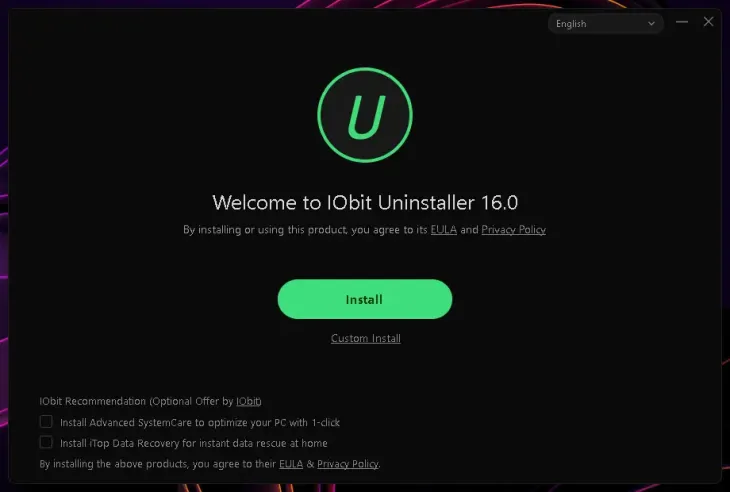
How to Download and Install IObit Uninstaller 16
Follow these steps to install the software on your Windows computer.
- Visit the official IObit Uninstaller website.
- Select the Free Download option.
- Wait for the installer to finish downloading.
- Open the downloaded setup file.
- Follow the installation instructions displayed on your screen.
- Launch IObit Uninstaller after installation.
- Review the available tools and select the feature you need.
Official website: https://www.iobit.com/en/advanceduninstaller.php
Download software from the developer’s official website whenever possible. Avoid unknown installers that claim to provide modified or activated editions.
Is IObit Uninstaller 16 Crack Safe?
Many users search for IObit Uninstaller 16 Crack or a free license key because they want access to Pro features without paying. However, unofficial activation files and modified installers can create security problems.
Such files may contain malware, unwanted programs, or changes that affect Windows security. They can also cause installation errors and prevent the application from receiving legitimate updates.
For this reason, the safer choice is to use the official Free edition or purchase a valid Pro license. You can still use the basic uninstall features without relying on an unofficial activation method.
Advantages and Disadvantages
Advantages
- Helps remove unwanted Windows applications.
- Provides batch uninstall functionality.
- Scans for leftover files after removal.
- Includes browser extension management.
- Adds Software Relocator in version 16.
- Provides a redesigned interface.
Disadvantages
- Some advanced features require the Pro edition.
- Users must review cleanup results carefully.
- Unofficial activation files can create security risks.
- Removing important Windows components may cause problems.
Frequently Asked Questions
Is IObit Uninstaller 16 free?
Yes. IObit provides a Free edition with basic program removal features. Some advanced tools are available through the Pro edition.
What is the latest version of IObit Uninstaller?
The official version information lists IObit Uninstaller 16.0.0, released on September 9, 2026.
Does IObit Uninstaller remove leftover files?
Yes. It can scan for files and other data associated with uninstalled programs. Review the detected items before deleting them.
Can I move installed programs to another drive?
Version 16 introduces Software Relocator, which helps move supported applications to another drive without reinstalling them.
Is IObit Uninstaller compatible with Windows 11?
Yes. The official product information lists Windows 11 among its supported operating systems.
Is IObit Uninstaller better than the Windows uninstall tool?
It offers additional tools such as batch removal, leftover scanning, browser extension management, and software relocation. However, Windows’ built-in uninstall option may be sufficient for users who only need basic removal.
Final Words
IObit Uninstaller 16 is a useful Windows utility for managing unwanted applications and cleaning up software-related leftovers. Its latest release adds Software Relocator and Bloatware Remover, making it more useful for users who want additional control over installed programs.
The Free edition is suitable for basic uninstall tasks, while the Pro edition provides additional capabilities. For a safer experience, download the installer from IObit’s official website and avoid unofficial activation files.


Recent Comments