
Grammarly Premium Crack + Full Version Free Download 2026
Grammarly Premium Crack + Full Version Free Download 2026
Grammarly Premium Crack is a frequently searched term among students, bloggers, content writers, freelancers, and professionals who want access to advanced writing assistance. Grammarly is an AI-powered writing tool designed to improve grammar, spelling, punctuation, clarity, tone, and overall communication.
Whether you are preparing an assignment, writing professional emails, creating website content, or editing business documents, Grammarly provides suggestions that can make your writing easier to understand. Its desktop application and browser extensions also allow users to access writing assistance across different applications.
In this guide, we will explore Grammarly Premium features, AI writing tools, supported platforms, installation information, and the differences between its Free and paid plans.
What Is Grammarly Premium?
Grammarly is an AI-powered writing assistant developed to help users communicate more clearly and confidently. It checks written content and provides suggestions for correcting mistakes, improving sentence structure, and adjusting the tone of a message.
Grammarly works with popular applications and websites, including Microsoft Word, Google Docs, Gmail, Outlook, and various web browsers. Its desktop application also provides writing suggestions across supported programs.
The term Grammarly Premium Crack is commonly used in searches for unlocked paid features. However, unofficial cracked installers and activation tools are not authorized Grammarly products. Users should be careful because modified files may contain malware or compromise personal information.
Key Features of Grammarly Premium
1. Advanced Grammar Checker
Grammarly checks written content for grammatical mistakes, punctuation problems, spelling errors, and commonly confused words. It highlights potential issues and provides suggestions to improve sentence accuracy.
This feature is useful for students, writers, office employees, and anyone who regularly creates English-language documents.
2. AI Writing Assistance
Grammarly includes AI-powered writing assistance that can help users draft, revise, and improve their content. You can use its writing tools to develop ideas, create outlines, rewrite paragraphs, and improve messages.
The available AI features and usage limits depend on your subscription plan.
3. Sentence Rewriting
Sometimes a sentence is grammatically correct but difficult to understand. Grammarly can suggest alternative wording to make sentences clearer, shorter, and more natural.
This is particularly useful when editing professional emails, reports, articles, and academic writing.
4. Tone Detector
The tone suggestions help users understand how their writing may sound to readers. Depending on the context, Grammarly can recommend adjustments to make a message more formal, friendly, confident, or professional.
This feature is useful when communicating with clients, colleagues, teachers, and customers.
5. Clarity and Conciseness Suggestions
Long and complicated sentences can make content difficult to read. Grammarly identifies opportunities to simplify wording and remove unnecessary expressions.
Its clarity suggestions can help make articles, reports, and business documents easier to understand.
6. Vocabulary Improvements
Grammarly can recommend alternative words and expressions to improve sentence flow and reduce repetitive language.
These suggestions can help writers choose more suitable vocabulary while maintaining their original meaning.
7. Plagiarism Checker
Grammarly’s plagiarism-checking feature helps users identify text that may match existing online sources. It can also provide citation-related suggestions.
Availability depends on the selected plan. Users should still review sources and cite original material correctly instead of relying entirely on automated checking.
8. AI Proofreader and Paraphraser
Grammarly provides AI-powered tools for proofreading and paraphrasing. These tools can help refine sentence structure, improve readability, and adapt writing for different audiences.
Always review rewritten text to ensure that the meaning remains accurate and that the final content reflects your own ideas.
9. Desktop Application and Browser Extensions
Grammarly is available through its desktop application, browser extensions, and web-based editor. It supports popular writing environments, allowing users to receive suggestions without constantly switching between applications.
For additional document-writing workflows, you can also explore Scrivener writing software on PirateWares, which is useful for organizing longer writing projects.
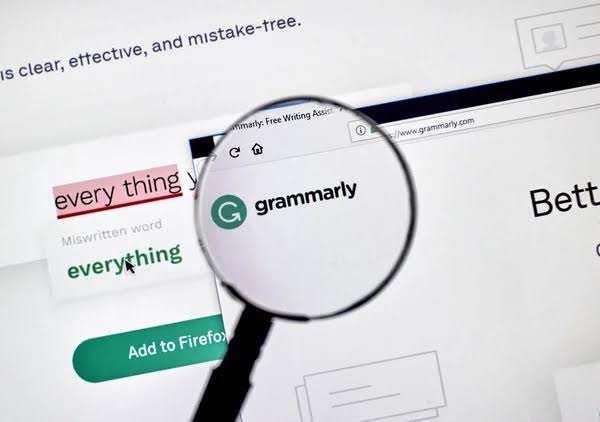
Grammarly Premium Features at a Glance
Some of the main writing capabilities include:
- Advanced grammar and spelling suggestions
- Punctuation and sentence correction
- Full-sentence and paragraph rewrites
- Tone and style recommendations
- Clarity and conciseness improvements
- AI writing assistance
- Vocabulary suggestions
- Plagiarism checking on eligible plans
- AI proofreading and paraphrasing tools
- Browser and desktop integration
- Support for multiple writing environments
Feature availability can change as Grammarly updates its plans and services.
Grammarly Free vs Grammarly Pro
Grammarly provides a free plan and paid subscription options. The available features differ depending on the selected plan.
| Feature | Grammarly Free | Grammarly Pro |
|---|---|---|
| Basic grammar correction | Yes | Yes |
| Spelling suggestions | Yes | Yes |
| Punctuation assistance | Yes | Yes |
| Basic clarity suggestions | Yes | Yes |
| Advanced writing suggestions | Limited | Expanded |
| Tone adjustments | Limited | More options |
| Full-sentence rewrites | Limited | Expanded |
| AI writing assistance | Limited | Higher usage allowance |
| Plagiarism checking | Not included in the standard Free plan | Available according to plan |
Check Grammarly’s official pricing page for the latest feature availability, AI limits, and subscription details.
Grammarly System Requirements
Grammarly offers different ways to use its writing assistant, including Windows, macOS, browsers, and mobile devices.
Windows Requirements
- Operating System: Windows 10 or newer for the current Windows desktop application
- Software Type: Writing and grammar assistance
- Installation: Desktop application or supported browser extension
- Internet Connection: Required for online services and AI features
- Account: Grammarly account required
Supported Platforms
- Windows
- macOS
- Google Chrome
- Microsoft Edge
- Mozilla Firefox
- Safari
- Android
- iOS and iPadOS
- Grammarly web editor
The exact requirements can vary by application version. Check the official download page before installing.
How to Download and Install Grammarly on Windows
For a legitimate and secure installation, follow these steps:
- Visit the official Grammarly website.
- Open the Windows desktop download page.
- Select the available download option.
- Download the installer to your computer.
- Open the downloaded setup file.
- Follow the installation instructions.
- Sign in to your Grammarly account.
- Enable the supported integrations you want to use.
- Open a document or supported application.
- Review Grammarly’s writing suggestions as you type.
You can use the Free plan without purchasing a subscription. Advanced features require an eligible paid plan.
Is Grammarly Premium Crack Safe?
Unofficial versions advertised as Grammarly Premium Crack, unlocked Grammarly Pro, or Grammarly activation tools are not official distributions from Grammarly.
Such files may create several risks:
- Modified installers may contain malicious code.
- Unknown activation tools may collect personal information.
- Browser extensions from untrusted sources may access sensitive browsing data.
- Modified applications may stop working after updates.
- Unofficial versions may expose documents and account credentials.
For personal and professional writing, the official Grammarly application is the safer option. Avoid entering passwords or uploading confidential documents into unknown third-party tools.
Who Should Use Grammarly?
Grammarly can be useful for different types of users:
Students
Students can use grammar and clarity suggestions to improve assignments, essays, reports, and other academic documents. They should always follow their institution’s rules about AI-assisted writing.
Bloggers and Content Writers
Bloggers can use Grammarly to proofread articles, improve readability, and reduce common writing mistakes before publishing.
Freelancers
Freelancers who communicate with international clients can use writing suggestions to prepare clearer proposals, messages, and project updates.
Office Professionals
Employees can use Grammarly to improve business emails, presentations, reports, and workplace communication.
Website Owners
Website owners can use Grammarly to review website pages, product descriptions, blog posts, and marketing content before publishing.
Advantages and Disadvantages of Grammarly
Advantages
- Easy-to-understand writing suggestions
- Helps identify grammar and spelling mistakes
- Supports multiple applications and browsers
- Provides tone and clarity recommendations
- Includes AI-powered writing assistance
- Useful for students and professional writers
Disadvantages
- Some advanced features require a paid plan.
- AI features may have usage limits.
- Suggestions are not always suitable for every context.
- An internet connection is needed for many online features.
- Automated corrections still require human review.
Frequently Asked Questions
1. What is Grammarly Premium Crack?
Grammarly Premium Crack is a search term used by people looking for unofficial access to Grammarly’s paid features. Cracked versions are not authorized by Grammarly and may carry security risks.
2. Is Grammarly available for Windows 11?
Yes. Grammarly provides a Windows desktop application that supports Windows 10 and newer, including compatible Windows 11 systems.
3. Is Grammarly free to download?
Yes. Grammarly offers a Free plan that users can access without purchasing a subscription. Some advanced features are available only through paid plans.
4. Does Grammarly work with Microsoft Word?
Yes. Grammarly supports Microsoft Word and other popular writing environments through its available integrations.
5. Can Grammarly rewrite paragraphs?
Yes. Its writing assistance includes rewriting and paraphrasing capabilities. The available options depend on your account and subscription plan.
6. Does Grammarly check plagiarism?
Grammarly offers plagiarism-checking functionality on eligible plans. It helps identify text similarities, but users should still review sources and provide appropriate citations.
7. Does Grammarly work offline?
Many Grammarly features rely on online services. An internet connection is required for its cloud-based suggestions and AI functionality.
8. Is Grammarly useful for bloggers?
Yes. Bloggers can use Grammarly to identify writing mistakes, improve sentence clarity, and proofread articles before publishing.
9. Does Grammarly support languages other than English?
Grammarly provides multilingual assistance for supported features, including translation and rewriting capabilities. The exact language support depends on the feature being used.
Final Thoughts
Grammarly is a useful AI-powered writing assistant for people who want to improve their English writing, correct grammar mistakes, and communicate more professionally. Its grammar checker, tone suggestions, paragraph rewriting, and AI writing tools make it suitable for students, bloggers, freelancers, and office professionals.
Although many users search for Grammarly Premium Crack, unofficial modified applications and activation tools can create security and privacy problems. The official Free plan is a practical starting point, while Grammarly Pro provides additional writing features for users who need them regularly.
Before installing Grammarly, check the latest official features, supported platforms, and subscription options to choose the version that meets your requirements.


Recent Comments