
LibreOffice 26.8.3 Free Download for Windows 2026
LibreOffice 26.8.3 Free Download for Windows 2026
LibreOffice Free Download is a popular choice for users looking for a powerful office suite without paying for an expensive subscription. LibreOffice is a free and open-source productivity package that includes tools for creating documents, spreadsheets, presentations, drawings, and databases.
Developed by The Document Foundation and its global community, LibreOffice provides several applications that can handle everyday office tasks. Its Writer, Calc, and Impress applications offer alternatives to Microsoft Word, Excel, and PowerPoint.
The latest release covered in this article is LibreOffice 26.8.3, released on November 12, 2026. It includes stability improvements, bug fixes, and compatibility enhancements for Windows, macOS, and Linux users.
What Is LibreOffice?
LibreOffice is a free office productivity suite designed for students, teachers, businesses, freelancers, and home users. It provides multiple applications in one package, allowing users to create and edit different types of documents.
Unlike subscription-based office software, LibreOffice does not require a monthly payment or product activation key for its standard features.
The suite supports popular Microsoft Office document formats, including DOCX, XLSX, and PPTX, alongside its native OpenDocument formats.
It also provides PDF export, document formatting, spreadsheet calculations, and presentation design tools.
What’s New in LibreOffice 26.8.3?
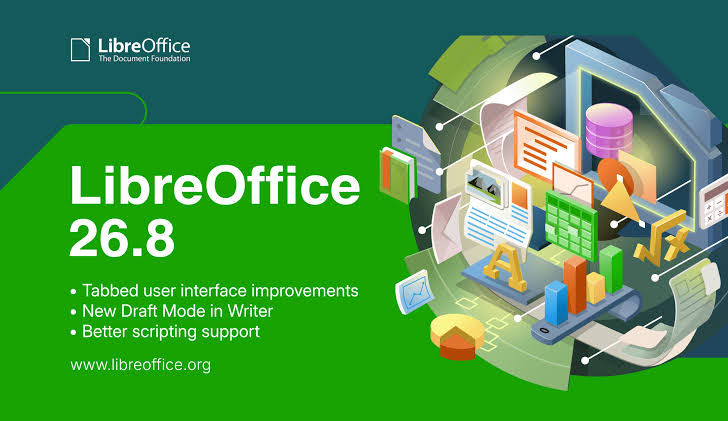
LibreOffice 26.8.3 is the third maintenance update in the LibreOffice 26.8 branch. The November 12, 2026 release includes approximately 45 bug fixes, with attention to stability, macOS integration, digital signatures, and Microsoft Office file compatibility.
The LibreOffice 26.8 family also introduces several useful improvements.
Some notable features include:
- Improved tabbed interface with different application colors
- Better right-to-left text support in Writer
- Automatic paragraph direction detection for RTL text
- New Draft View for distraction-free writing
- Improved paragraph spacing and typography
- Presentation sections in Impress
- Improved chart and document compatibility
- Markdown import and export support
- New connector tools in Writer and Calc
- Performance improvements for selected export and rendering tasks
These improvements make LibreOffice useful for users who regularly create and exchange documents.
Key Features of LibreOffice
1. Writer – Word Processing Application
LibreOffice Writer is a document-processing application used to create letters, reports, assignments, articles, resumes, and other written content.
It provides tools for formatting text, creating tables, inserting images, managing page layouts, and checking spelling.
Writer supports several document formats, including ODT, DOCX, and PDF export.
2. Calc – Spreadsheet Application
LibreOffice Calc is designed for working with numbers, tables, formulas, and financial information.
Users can create budgets, calculate expenses, organize business records, and analyze spreadsheet data.
Its useful capabilities include:
- Mathematical formulas and functions
- Sorting and filtering
- Charts and graphs
- Pivot tables
- Conditional formatting
- Spreadsheet templates
- Excel file compatibility
Calc supports formats such as ODS and XLSX.
3. Impress – Presentation Creator
Impress allows users to create professional presentations for classrooms, meetings, and business projects.
It provides slide layouts, transitions, animations, multimedia support, and presentation controls.
Users can also open and edit supported PowerPoint presentations.
4. Draw – Diagram and Graphics Tool
LibreOffice Draw is a drawing application for creating diagrams, flowcharts, technical illustrations, and other visual materials.
It supports shapes, lines, connectors, text boxes, and image placement.
Draw can also be used to make simple PDF-related edits, depending on the document structure.
5. Base – Database Management
LibreOffice Base provides tools for creating and managing databases.
Users can work with tables, queries, forms, and reports. It can be useful for small database projects and basic information management.
6. Math – Formula Editor
LibreOffice Math is a formula editor designed for creating mathematical expressions.
It is particularly useful for students, teachers, researchers, and technical writers who need to include equations in documents.
7. PDF Export
One of LibreOffice’s useful features is its built-in PDF export capability.
Users can export supported documents and presentations into PDF format without installing a separate PDF printer application.
This makes it convenient to share documents while preserving their layout.
8. Microsoft Office Compatibility
LibreOffice supports many Microsoft Office file formats, including:
- DOCX
- XLSX
- PPTX
- DOC
- XLS
- PPT
Users can open, edit, and save many of these formats. However, complex formatting, macros, fonts, and advanced features may not always transfer perfectly between office suites.
9. Templates and Extensions
LibreOffice supports templates and extensions that can expand its functionality.
Users can find additional tools for document formatting, productivity, language support, and other workflows.
10. Free and Open-Source Software
LibreOffice is free and open source. Users can download and use its standard applications without purchasing a subscription.
The project is supported by a global community of developers and contributors.
LibreOffice Applications at a Glance
| Application | Main Purpose |
|---|---|
| Writer | Documents and text editing |
| Calc | Spreadsheets and calculations |
| Impress | Presentations and slides |
| Draw | Diagrams and illustrations |
| Base | Database management |
| Math | Mathematical formulas |
LibreOffice 26.8.3 System Requirements
LibreOffice is available for Windows, macOS, and Linux. The exact requirements depend on the operating system and installer architecture.
Windows Requirements
- Operating System: Windows 10 or newer
- Processor: Compatible 64-bit Windows processor
- RAM: 512 MB minimum for basic use; more is recommended for large documents
- Storage: Space for the installer and installed application
- Display: Standard supported Windows display
- Internet: Required for downloading the installer and online updates
The official download page provides Windows 64-bit and ARM64 installers. Windows 32-bit builds are considered deprecated.
Supported Platforms
- Windows 10 and Windows 11
- macOS
- Linux distributions
Check the official system requirements page for the installer that matches your computer.
How to Download and Install LibreOffice on Windows
Follow these steps to install the latest official version:
- Visit the official LibreOffice download website.
- Select the Windows 64-bit version if your computer supports it.
- Download the LibreOffice 26.8.3 installer.
- Open the downloaded setup file.
- Follow the installation wizard.
- Choose the installation type and components.
- Select your preferred installation location.
- Complete the installation.
- Open LibreOffice from the Windows Start menu.
- Choose Writer, Calc, Impress, or another application.
Official download page:
https://www.libreoffice.org/download/
Always download the installer from the official LibreOffice website to receive a legitimate and up-to-date copy.
How to Open Microsoft Word and Excel Files in LibreOffice
LibreOffice can open many documents created in Microsoft Office applications.
To open a Word document:
- Start LibreOffice Writer.
- Select File and then Open.
- Browse to your DOCX file.
- Select the document and open it.
- Edit the content as required.
- Save the file in the format you prefer.
To open an Excel spreadsheet, use LibreOffice Calc and follow the same process.
For important business documents, review the formatting after opening and before sharing the edited file.
LibreOffice vs Microsoft Office
Both LibreOffice and Microsoft Office provide productivity applications, but they differ in pricing, features, and ecosystem.
| Feature | LibreOffice | Microsoft Office |
|---|---|---|
| Standard desktop suite | Free | Paid options |
| Word processing | Writer | Word |
| Spreadsheet | Calc | Excel |
| Presentations | Impress | PowerPoint |
| PDF export | Yes | Available |
| Open-source | Yes | No |
| DOCX/XLSX/PPTX support | Yes | Native support |
| Cloud collaboration | More limited | Integrated Microsoft 365 services |
LibreOffice is a strong option for users who need free desktop office applications. Microsoft Office may be more suitable for people who rely on advanced Microsoft 365 services and collaborative workflows.
Useful Software for Document and Media Work
LibreOffice is suitable for creating documents and presentations. If your work also involves media files, you may find these tools useful:
- FoneLab Video Converter Ultimate – for supported video and audio conversion workflows.
- Any Video Converter Ultimate – for converting media files used in presentations and other projects.
These are separate media utilities, not LibreOffice extensions.
Advantages and Disadvantages of LibreOffice
Advantages
- Completely free and open source
- No monthly subscription required
- Includes six productivity applications
- Supports popular Microsoft Office formats
- Built-in PDF export
- Available for Windows, macOS, and Linux
- Supports extensions and templates
- Useful for students, businesses, and home users
Disadvantages
- Some Microsoft Office formatting may change.
- Advanced Microsoft 365 cloud features are not included.
- The interface may feel different to Microsoft Office users.
- Complex macros may require adjustments.
- Large documents and spreadsheets may need more system resources.
Is LibreOffice Completely Free?
Yes. LibreOffice is free and open-source software. You can download, install, and use its standard applications without purchasing a licence or entering an activation key.
There is no official LibreOffice Premium Crack or paid activation version required for normal use.
Some companies in the LibreOffice ecosystem offer professional support and enterprise services, but these are separate from the standard free desktop suite.
Frequently Asked Questions
1. Is LibreOffice free to download?
Yes. LibreOffice is free and open source. Users can download it from the official website without paying a subscription.
2. What is the latest version of LibreOffice?
The latest release covered in this article is LibreOffice 26.8.3, released on November 12, 2026. Check the official download page for newer releases.
3. Does LibreOffice work on Windows 11?
Yes. LibreOffice supports Windows 11 and provides an official Windows installer.
4. Can LibreOffice open Microsoft Word documents?
Yes. Writer can open many DOC and DOCX documents. Some advanced formatting may require adjustments.
5. Can LibreOffice replace Microsoft Office?
For many everyday tasks, yes. Writer, Calc, and Impress provide alternatives to Word, Excel, and PowerPoint. However, users who depend on advanced Microsoft 365 cloud features may prefer Microsoft’s ecosystem.
6. Can LibreOffice create PDF files?
Yes. LibreOffice includes PDF export options for supported documents and presentations.
7. Does LibreOffice support Excel files?
Yes. Calc supports many Excel formats, including XLS and XLSX.
8. Is LibreOffice available for Mac?
Yes. LibreOffice provides versions for supported macOS computers, including Apple Silicon and Intel systems.
9. Does LibreOffice require an internet connection?
No internet connection is required for normal offline document editing after installation. Internet access is needed for downloading the software and using online resources.
10. Is LibreOffice safe to install?
The official LibreOffice distribution is provided by The Document Foundation. Download it from the official website and avoid modified installers from unknown sources.
Final Thoughts
LibreOffice 26.8.3 is a useful free office suite for anyone who needs to create documents, spreadsheets, presentations, diagrams, and other productivity files without paying for a subscription.
Its Writer, Calc, Impress, Draw, Base, and Math applications cover a wide range of everyday office tasks. Microsoft Office compatibility and built-in PDF export make it even more practical for students, freelancers, businesses, and home users.
If you want a free alternative to subscription-based office software, LibreOffice is worth considering. Download the latest version from the official website and choose the applications that match your workflow.


Recent Comments