
MailStyler Newsletter Creator Pro 2.9.0.100 Review & Features
MailStyler Newsletter Creator Pro 2.9.0.100 Review: Features & Guide
MailStyler Newsletter Creator is a Windows application designed to help users create professional HTML email newsletters without requiring advanced coding knowledge. Its drag-and-drop editor makes it possible to build email layouts, customize images, arrange content blocks, and prepare responsive templates for different email clients.
The software is particularly useful for small businesses, marketers, designers, and organizations that regularly send promotional emails, announcements, and newsletters.
This guide focuses on MailStyler Newsletter Creator Pro 2.9.0.100, covering its main features, newsletter editing tools, export options, system requirements, and installation process.
What Is MailStyler Newsletter Creator?
MailStyler is an email newsletter design application developed to simplify the creation of HTML email templates.
Instead of writing HTML and CSS manually, users can select predefined content blocks and customize them through a visual editor. They can add text, images, buttons, banners, and social media icons while adjusting the layout to match their branding.
The application also generates HTML code with inline CSS to help improve compatibility with different email clients.
Main Features of MailStyler Newsletter Creator Pro
1. Drag-and-Drop Newsletter Editor
MailStyler provides a visual editing environment that makes newsletter creation straightforward.
Users can select predefined blocks and place them into their designs. They can then add or rearrange text, images, buttons, and other elements without manually writing HTML code.
This approach is useful for beginners as well as experienced email marketers who want to create templates more efficiently.
2. Responsive Email Templates
A newsletter should remain readable on different screen sizes. MailStyler provides responsive layout tools designed to help templates adapt to desktop and mobile email clients.
Its customizable blocks and layout settings allow users to adjust how content is displayed on different devices.
However, email clients do not all render HTML and CSS identically. Therefore, preview and test your newsletters before sending them to a large mailing list.
3. Advanced Image Editing
One of MailStyler’s notable features is its integrated image editor.
Users can reposition images inside their frames, select which part of a photograph should appear, and adjust the frame size directly within the newsletter editor.
The image tools also support:
- Cropping and resizing
- Image positioning
- Transparency and opacity adjustments
- Text overlays
- Image and text combinations
- Custom banners and graphics
These options reduce the need to switch between separate image-editing applications for routine newsletter designs.
4. Customizable Content Blocks
MailStyler includes reusable content blocks that users can customize according to their requirements.
Users can move, remove, or add elements within a block. They can also modify individual cells, adjust spacing, and combine different design elements.
This flexibility makes it easier to maintain a consistent appearance across multiple newsletter campaigns.
5. Dynamic Text and Image Banners
The application allows users to combine text and photographs to create promotional banners.
Users can apply graphic styles to text, adjust transparency, and customize the visual appearance of different elements.
These tools can help create attractive announcements, product promotions, and marketing messages.
6. Social Media Icons
MailStyler provides social icon libraries that can be added to newsletter templates.
Users can customize the appearance and arrangement of supported icons to match the overall design. This makes it easier to include links to social media profiles in marketing emails.
7. Preview and Export Options
Before distributing a newsletter, users can preview its appearance and prepare the finished design for export.
MailStyler supports formats such as HTML and EML, with additional export options depending on the version and license.
Templates can be used with compatible email clients and marketing services, including Outlook, Thunderbird, and supported email marketing platforms.
8. PDF Export
The application also supports PDF export for users who want to share a newsletter design as a document.
This can be useful for reviewing a campaign, sharing a draft with colleagues, or presenting a proposed design to a client.
9. Personal Libraries and Reusable Designs
MailStyler provides libraries for storing and reusing design elements.
Users can organize commonly used images, buttons, text styles, and other components. This can save time when creating multiple newsletters with a consistent visual identity.
What’s New in MailStyler Newsletter Creator Pro 2.9.0.100?
Version 2.9.0.100 belongs to an older MailStyler 2 release series.
The official update history documents version 2.9.0.101, released on October 12, 2020, with several improvements and fixes.
The documented changes included:
- Added support for View Online links with automatic newsletter cloud uploads.
- Added an option to prevent cells from stacking in responsive view.
- Improved the link editor window.
- Updated selected social icon designs.
- Added WhatsApp and Telegram to the social icon collection.
- Improved the icon gallery search.
- Fixed an issue with the paste block style command.
- Included additional minor bug fixes.
MailStyler has received newer updates since this release. The developer’s download page lists version 2.24.01.17, released on January 17, 2024. Therefore, version 2.9.0.100 should not be described as the latest 2026 release.
MailStyler Newsletter Creator System Requirements
According to the developer’s current download information, the software has the following requirements:
- Operating system: Windows 8, Windows 8.1, Windows 10, and Windows 11
- Server operating systems: Windows Server 2016 and Windows Server 2019
- Browser component: Internet Explorer 9 or later
- Framework: .NET Framework 3.5 SP1 or later
- Display resolution: 1366 × 768 or higher
- Internet connection: Required for online features and related services
The developer does not publish a complete current minimum RAM and processor specification on the download page. Make sure your computer has sufficient memory and storage for Windows and the application.
How to Install MailStyler Newsletter Creator
Follow these steps to install the application using the official installer:
- Visit the official MailStyler Newsletter Creator website.
- Open the download page and select the available demo or installer.
- Save the installation file to your Windows computer.
- Open the downloaded installer.
- Follow the setup wizard instructions.
- Complete the installation.
- Launch MailStyler Newsletter Creator.
- Create a new newsletter or open an existing project.
- Explore the available templates and editing tools.
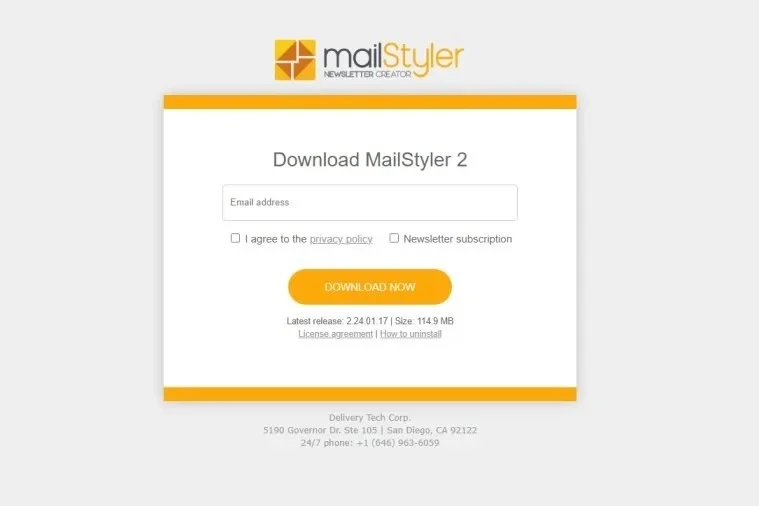
The free demo allows users to create and preview newsletters. However, exported files are restricted in the demo version. To export usable newsletters, select an appropriate Basic or Pro license.
For full Pro functionality, purchase a genuine license from the developer and activate it through the application’s registration option.
Free Demo vs. Basic and Pro Versions
MailStyler offers different licensing options for users with different requirements.
Free Demo
The free demo allows users to explore the editor, design newsletters, and access selected image resources. However, exported newsletters are restricted and are not ready for normal distribution.
Basic Version
The Basic license unlocks newsletter export functionality so users can prepare templates for use with supported email clients and marketing services.
Pro Version
The Pro license includes additional features, such as access to an expanded image library and dedicated cloud storage features.
Check the official licensing page for the current feature comparison and prices before purchasing.
Tips for Creating Better Email Newsletters
A well-designed newsletter should be visually appealing, easy to read, and useful to its audience.
Consider these recommendations:
- Use a clear subject line and preheader.
- Keep paragraphs short and easy to scan.
- Choose readable fonts and suitable text sizes.
- Optimize images before adding them to a newsletter.
- Use descriptive links and clear call-to-action buttons.
- Maintain consistent colors and branding.
- Preview the design on desktop and mobile layouts.
- Test the email in different supported email clients.
- Include an appropriate unsubscribe option for marketing campaigns.
- Obtain permission before sending promotional emails.
These practices can improve readability and help create a more professional email experience.
Frequently Asked Questions
What is MailStyler Newsletter Creator used for?
MailStyler is used to design HTML email newsletters through a visual drag-and-drop editor. It helps users create responsive layouts, add images and buttons, customize content blocks, and export email templates.
Is MailStyler Newsletter Creator free?
MailStyler offers a free demo that allows users to create and preview newsletters. However, exporting usable newsletter files requires an appropriate Basic or Pro license.
Does MailStyler require HTML or CSS knowledge?
No. Its visual editor allows users to create newsletter layouts without manually writing HTML or CSS. The application generates the required code.
Does MailStyler support responsive email templates?
Yes. MailStyler provides responsive layout features designed to help newsletters adapt to different screen sizes and email clients.
Can I edit images inside MailStyler?
Yes. The integrated image editor provides tools for cropping, resizing, repositioning, and applying visual effects to images directly within newsletter designs.
Can MailStyler export newsletters to PDF?
Yes. PDF export is among the application’s supported features. Other export options include HTML and EML, depending on the version and license.
What is the latest version of MailStyler?
The developer’s download page lists version 2.24.01.17, released on January 17, 2024. The version covered in this article, 2.9.0.100, is an older release.
Is MailStyler available for Mac?
The official system requirements and download information list Windows compatibility. The developer’s website provides a separate Mac-related option, so check its current Mac information rather than using the Windows installer on macOS.
Final Verdict
MailStyler Newsletter Creator is a practical application for designing professional email newsletters without requiring advanced HTML or CSS skills. Its drag-and-drop editor, customizable content blocks, integrated image tools, responsive layouts, and export options make it useful for small businesses and email marketing teams.
Version 2.9.0.100 is an older release, so users who want the latest improvements should check the developer’s official download page. The free demo is useful for exploring the editor, while a Basic or Pro license is needed for unrestricted newsletter export.
Overall, MailStyler is worth considering for users who want a visual and straightforward way to create branded email newsletters.



Recent Comments