
Windscribe VPN Review: Features, Free Plan & Installation Guide
Windscribe VPN Review: Features, Free Plan & Installation Guide
Windscribe VPN is a virtual private network service designed to improve online privacy and protect internet traffic through encrypted connections. It is available for Windows, macOS, Linux, Android, iOS, and supported web browsers.
The service provides both free and paid plans, making it an option for users who want to try a VPN before purchasing a subscription. Its features include multiple VPN protocols, a built-in Firewall, split tunneling, and R.O.B.E.R.T., a customizable tool for blocking ads, trackers, and unwanted domains.
In this guide, we will explore Windscribe VPN’s main features, free and Pro plans, privacy options, device compatibility, and official installation process.
What Is Windscribe VPN?
Windscribe VPN is a privacy-focused VPN service that routes internet traffic through an encrypted connection. When connected, websites generally see the IP address of the VPN server rather than the user’s regular public IP address.
This can be useful when connecting to public Wi-Fi networks, protecting traffic from local network observers, or accessing online services while travelling.
Windscribe offers applications for desktop and mobile devices, along with browser extensions. Users can choose a server location and connection protocol based on their device and network conditions.
A VPN does not make someone completely anonymous online. Websites, account providers, cookies, and other tracking methods may still identify users.

Key Features of Windscribe VPN
1. Encrypted VPN Connection
Windscribe encrypts supported network traffic between the device and the VPN server. This helps protect information while using public or untrusted Wi-Fi networks.
The level of protection also depends on the selected protocol, device configuration, and the security of the websites or applications being used.
2. Multiple VPN Protocols
Windscribe supports several connection protocols, including:
- WireGuard
- OpenVPN UDP
- OpenVPN TCP
- IKEv2
- Stealth
- WStunnel
Different protocols can provide different combinations of speed, compatibility, and connectivity. Users can select an appropriate option when a network blocks or interferes with a particular connection method.
3. Built-In Firewall
The Windscribe Firewall is designed to block internet traffic outside the VPN tunnel. This helps reduce the risk of traffic leaks if the VPN connection is interrupted.
Users can configure the Firewall according to their requirements. Always review its settings before changing them, because certain modes can block normal internet access when the VPN is disconnected.
4. R.O.B.E.R.T. Ad and Tracker Blocking
R.O.B.E.R.T. is Windscribe’s customizable DNS-based blocking tool. It can block selected domains, including advertising, tracking, and malware-related domains.
Available controls depend on the user’s subscription plan. It can help reduce unwanted connections, although it should not be treated as a replacement for antivirus software or safe browsing habits.
5. Split Tunneling
Split tunneling allows users to decide which applications use the VPN connection and which applications connect through their regular internet connection.
This is useful when a particular application or website needs a normal local connection while other traffic remains routed through the VPN.
Windscribe provides different split-tunneling modes, including options to include or exclude selected applications.
6. Server Locations
Windscribe provides VPN servers in multiple countries and cities. The available locations depend on the account plan.
Free users receive access to a limited selection of locations, while Pro subscribers can access the broader server network.
Choosing a nearby server can sometimes improve connection performance, although actual speed depends on the internet connection, server load, and distance.
7. Unlimited Device Connections
Windscribe advertises unlimited simultaneous device connections for its Free and Pro plans. This allows users to install the application on supported devices without a fixed device-count limit.
Account sharing should still follow Windscribe’s terms of service.
8. Browser Extensions
Windscribe also provides browser extensions for supported browsers. These extensions can help manage browser-level privacy settings and connect through supported proxy locations.
A browser extension should not automatically be assumed to protect every application on the computer. For system-wide VPN protection, use the appropriate desktop or mobile application.
9. Automatic Server Selection
The application includes options to select a suitable server location. Automatic selection can help users connect without manually comparing every available location.
Users can also select a location themselves when they need a particular country or server.
10. Privacy and No-Identifying-Logs Policy
Windscribe states that it does not store browsing history, source IP addresses, or historical VPN session records. Its privacy documentation explains the limited operational information associated with accounts.
Users should read the current privacy policy and understand what information is retained before choosing any VPN provider.
Windscribe Free vs Pro
Windscribe offers a free plan and paid subscription options. The main differences involve monthly data limits, available server locations, and access to additional features.
Free Plan
The free plan is available without a temporary trial period. According to Windscribe’s published plan information:
- A new account receives 2 GB of monthly data by default.
- Confirming an email address increases the allowance to 10 GB per month.
- Access is limited to selected server locations.
- The same application is used by free and paid customers.
Pro Plan
The Pro plan is intended for users who need more data and broader server access.
Its benefits include:
- Unlimited monthly VPN bandwidth.
- Access to the wider server network.
- Additional R.O.B.E.R.T. customization.
- Access to additional VPN features and locations.
Subscription prices and plan availability can change, so check Windscribe’s official website for current details.
Windscribe VPN Version Information
The version number in this post title is 3.76.1355. However, this exact build could not be verified as the current Windows desktop release.
Windscribe publishes separate version information for Windows, macOS, Linux, Android, iOS, and browser extensions. These platforms do not necessarily use the same version numbering.
For Windows users, check the official Windows changelog before downloading or updating the application. Do not assume that an old version number listed by a third-party download website represents the latest release.
How to Download and Install Windscribe VPN on Windows
The current Windscribe Windows setup guide supports Windows 10 and Windows 11. Older Windows versions such as XP and Vista are not supported by the current desktop application.
Follow these steps to install the official application:
- Open the official Windscribe website.
- Visit its Downloads page.
- Select the Windows application.
- Download the installer that matches your system.
- Open the downloaded setup file.
- Approve the installation prompt and allow the application to install its required network components.
- Complete the installation process.
- Launch Windscribe VPN.
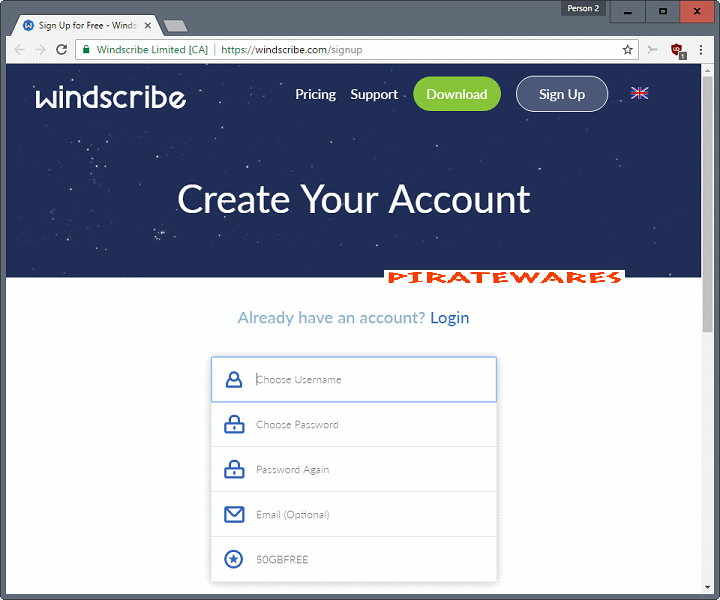
- Sign in to an existing account or create a new account.
- Select an available server location.
- Press the connection button to establish the VPN connection.
- Check the application status to confirm that the connection is active.
For security, download the application only from Windscribe’s official website. Do not install modified activation packages or disable Windows security protection to run an unofficial installer.
System Requirements and Compatibility
Windscribe provides separate applications for different operating systems. Compatibility depends on the application version.
Windows
- Current desktop support: Windows 10 and Windows 11.
- An internet connection is required.
- Administrator permission may be required during installation.
- Sufficient storage is needed for the application and its network components.
macOS
Windscribe provides a dedicated macOS application. Check the official download page for the supported macOS versions and installation requirements.
Android
Windscribe provides an Android application. Its current setup documentation identifies Android 7.0 or later as the minimum supported version.
iOS
Windscribe also provides an iPhone and iPad application. Check the App Store listing for the current iOS compatibility requirements.
The old processor, RAM, and disk-space figures published on some download pages should not be treated as verified requirements for every current Windscribe application.
Windscribe VPN for Online Privacy
A VPN can improve privacy by encrypting traffic between a device and the VPN server and masking the user’s public IP address from websites.
However, a VPN does not replace other security measures. Users should continue to use strong passwords, multi-factor authentication, updated software, and secure websites.
A VPN also does not guarantee access to every streaming service or restricted website. Online services may block VPN server addresses, and availability can change.
Windscribe VPN Alternatives
Users comparing VPN services may also want to explore other providers and compare their privacy policies, server networks, supported devices, and subscription options.
You can read our TorGuard VPN guide to learn about another VPN service and its available features.
Before selecting a provider, compare the free data allowance, supported protocols, server locations, privacy practices, and renewal costs.
Frequently Asked Questions
Is Windscribe VPN free?
Yes. Windscribe offers a free plan. It provides 2 GB of monthly data by default, which increases to 10 GB after confirming an email address.
Is Windscribe VPN available for Windows 11?
Yes. The current Windows desktop application supports Windows 10 and Windows 11. Check the official download page for the latest compatibility information.
Can Windscribe VPN be used on Android and iPhone?
Yes. Windscribe offers separate applications for Android and iOS devices.
Does Windscribe VPN support multiple devices?
Yes. Windscribe advertises unlimited simultaneous device connections for its Free and Pro plans, subject to its account-use terms.
What is R.O.B.E.R.T. in Windscribe?
R.O.B.E.R.T. is a customizable blocking tool that can filter selected advertising, tracking, and unwanted domains.
What does the Windscribe Firewall do?
The Firewall blocks internet traffic outside the VPN tunnel. It is designed to help prevent traffic leaks if the VPN connection drops.
Does Windscribe VPN guarantee complete anonymity?
No. A VPN can improve privacy, but it does not guarantee complete anonymity. Websites, account logins, cookies, and other tracking methods may still identify users.
Where can I download Windscribe VPN?
Download the application from the official website: https://windscribe.com/download.
Final Thoughts
Windscribe VPN offers a useful combination of encrypted connections, multiple protocols, a built-in Firewall, split tunneling, and customizable blocking tools. Its free plan also gives new users an opportunity to try the service before purchasing a subscription.
The best plan depends on how much monthly data and how many server locations you need. Before installing the application, check the official version information and system requirements for your device.
Always use the official installer and review the provider’s current privacy policy and subscription terms before using the service.



Recent Comments