
Prima Cartoonizer 5.4.4 Review: Features, Cartoon Effects & Guide
Prima Cartoonizer 5.4.4 Review: Features, Cartoon Effects & Guide
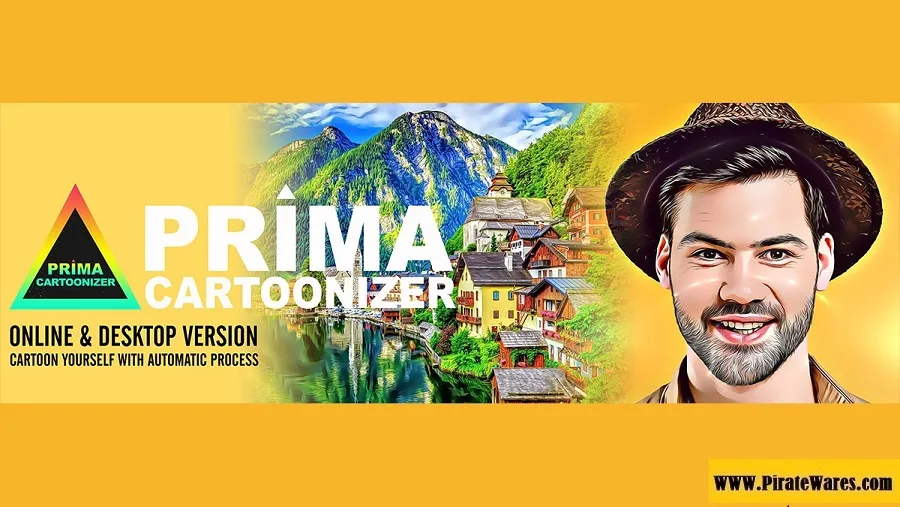
Prima Cartoonizer is a photo editing application designed to transform ordinary photographs into cartoon-style artwork. It provides automatic cartoon effects and creative image filters that allow users to give portraits and other pictures a different visual appearance without needing advanced graphic design skills.
The software is suitable for casual users, photographers, content creators, and people who want to create artistic images for social media, personal projects, or commercial artwork.
This guide explores Prima Cartoonizer 5.4.4, its main features, supported image formats, editing options, Windows compatibility, and installation process.
What Is Prima Cartoonizer?
Prima Cartoonizer is a desktop photo cartoonizing application developed by PrimaCartoonizer.com. Its main purpose is to apply cartoon and artistic effects to existing photographs.
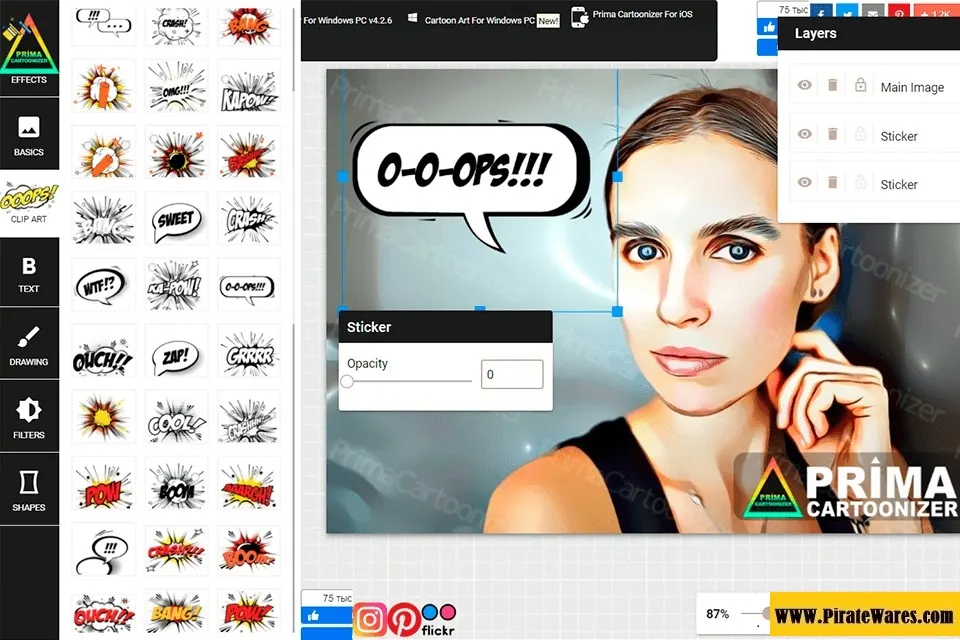
Users can import an image, select an available effect, and adjust the result according to their preferences. The application is designed to make photo transformation straightforward, even for people without professional image editing experience.
It can be useful for:
- Creating cartoon-style profile pictures.
- Transforming portraits into artistic images.
- Preparing creative social media content.
- Designing personalized illustrations.
- Creating images for personal and commercial projects.
Key Features of Prima Cartoonizer
1. Automatic Cartoon Effects
The main feature of Prima Cartoonizer is its automatic photo conversion process. Users can apply different cartoon effects to photographs without manually drawing or recreating the entire image.
2. Multiple Cartoon Styles
The software provides a collection of cartoon effects with different artistic appearances. Users can experiment with the available styles to find an effect that suits their photographs.
3. Full HD Image Output
Prima Cartoonizer supports high-resolution image conversion. The official product information advertises Full HD output, helping users create detailed artwork for digital projects.
4. Transparent PNG Support
The application supports PNG images with transparent backgrounds. This is useful when users want to place their artwork into another design, presentation, or graphic composition.
5. SVG Export
The developer also lists SVG export support for certain black-and-white effects. Vector output can be useful for designs that need to be resized without the same limitations as ordinary raster images.
6. Effect Intensity Adjustment
Users can adjust the intensity of supported effects to customize the appearance of their images. This provides additional control over the final artwork.
7. Offline Image Processing
According to the developer’s FAQ, the Windows desktop application can process images offline. An internet connection may still be required for license activation and other online services.
8. Simple Editing Tools
Prima Cartoonizer includes basic image adjustments such as cropping and resizing. These tools help users prepare photographs before applying cartoon effects.
9. Personal and Commercial Use
The developer advertises personal and commercial use for artwork created with its software. Users should review the current license terms before using images in commercial projects.
Prima Cartoonizer 5.4.4 Version Information
Prima Cartoonizer 5.4.4 is an older version listed in the developer’s historical product information.
The developer’s current website lists Prima Cartoonizer 5.6.6 for Windows. Therefore, version 5.4.4 should not be described as the latest release.
If you are installing an older version, check its compatibility and update availability through the official developer website.
How to Use Prima Cartoonizer
The basic photo conversion process is straightforward:
- Open Prima Cartoonizer on your Windows computer.
- Select the Add option from the top menu.
- Choose the photograph you want to edit.
- Browse the available cartoon effects.
- Select an effect that matches your preferred style.
- Adjust the effect intensity if the option is available.
- Use the preview to check the result.
- Make additional adjustments or crop the photograph if required.
- Save the finished image in a supported format.
This workflow allows users to transform ordinary photographs into creative cartoon-style artwork.
Prima Cartoonizer System Requirements
Prima Cartoonizer is a Windows desktop application. The developer’s website does not provide a complete, version-specific hardware requirements table for every release.
Before installation, consider these compatibility points:
- Operating System: Windows.
- Architecture: Check the installer for the supported 32-bit or 64-bit environment.
- Processor: A compatible processor capable of running the application.
- Memory: Sufficient RAM for opening and processing image files.
- Storage: Enough free disk space for the software and exported images.
- Internet: Required for license activation; normal image processing can work offline.
For exact requirements, consult the developer’s download page for the version you intend to install.
How to Download and Install Prima Cartoonizer
For a legitimate installation, use the developer’s official download page.
- Visit the official Prima Cartoonizer website.
- Open the Windows desktop software or download section.
- Check the available version and system compatibility.
- Download the official trial installer.
- Locate the downloaded setup file.
- Double-click
PrimaCartoonizer_Setup.exe. - Follow the installation wizard.
- Open Prima Cartoonizer after installation.
- Import a photograph and test the available effects.
- If you want the full version, purchase a license through the developer’s official store and follow its activation instructions.
Avoid modified installers, unofficial serial keys, and activation tools. Downloading software from authorized sources helps reduce the risk of malware and installation problems.
Free Trial and Licensing
The developer offers a trial version of Prima Cartoonizer so users can test its features before purchasing.
According to the developer’s website, the unregistered trial has limitations, including a trial period and watermark restrictions on exported images.
Paid licensing options and update plans may vary. Check the official pricing page for current payment terms and license details before purchasing.
Related Image Editing Software
If you work with photographs regularly, you may also find our guide to OneSafe JPEG Repair useful. It covers a different image-related task: repairing damaged JPEG and other supported picture files.
Frequently Asked Questions
What is Prima Cartoonizer used for?
Prima Cartoonizer is used to transform ordinary photographs into cartoon-style images and artistic artwork through automatic photo effects.
Is Prima Cartoonizer available for Windows?
Yes. The developer offers Prima Cartoonizer as a desktop application for Windows computers.
Does Prima Cartoonizer work on Mac?
The desktop application is designed for Windows. The developer provides an online cartoonizer option for users who want to work through a browser on other platforms.
Can Prima Cartoonizer work offline?
Yes. The developer states that the desktop software can process images without an internet connection. License activation may still require internet access.
Does Prima Cartoonizer support batch processing?
Batch processing is available through a separate product called Prima Cartoonizer One. Do not confuse it with the standard Prima Cartoonizer desktop application.
Can I save transparent PNG images?
Yes. The official product information lists support for PNG images with transparent backgrounds.
Is Prima Cartoonizer 5.4.4 the latest version?
No. The developer’s website currently lists version 5.6.6 for Windows. Version 5.4.4 is an older release.
Where can I download Prima Cartoonizer?
Visit the official website at PrimaCartoonizer.com to check the available Windows installer, trial version, and licensing options.
Final Thoughts
Prima Cartoonizer is a straightforward photo cartoonizing application for Windows users who want to create artistic images without learning complicated graphic design tools. Its automatic cartoon effects, image adjustments, transparent PNG support, and SVG export options make it useful for creative photo projects.
Before installing version 5.4.4, check whether a newer release is available. Use the official developer website for downloads, updates, and licensing information.



Recent Comments