
ABBYY FineReader PDF 16 Review: OCR Features & System Requirements
ABBYY FineReader PDF 16 Review: OCR Features & System Requirements
ABBYY FineReader PDF 16 is a document recognition and PDF productivity application designed to turn scanned pages and image-based documents into searchable, editable files. It uses Optical Character Recognition (OCR) technology to identify printed text while helping users preserve the original document’s layout, tables, and formatting.
The software also includes tools for editing PDF documents, comparing different document versions, organizing pages, and exporting content into popular office formats. As a result, it can be useful for students, office professionals, researchers, and businesses that regularly work with digital documents.
The version covered in this guide is ABBYY FineReader PDF 16.0.14.7295, officially identified as Release 3 Update 2. It was released on August 3, 2023, so it should be considered an older build rather than the newest 2026 release.
What Is ABBYY FineReader PDF 16?
ABBYY FineReader PDF 16 is a Windows-based OCR and PDF management application. Its main purpose is to make scanned documents easier to search, edit, archive, and reuse.
For example, a scanned paper document normally contains an image of the original page rather than editable text. FineReader can recognize the characters in that image and convert them into searchable text or an editable document.
The application supports several input and output formats, including PDF, DOCX, XLSX, PPTX, TXT, and common image formats. It also supports OCR recognition in a wide range of languages.
Main Features of ABBYY FineReader PDF 16
1. Optical Character Recognition (OCR)
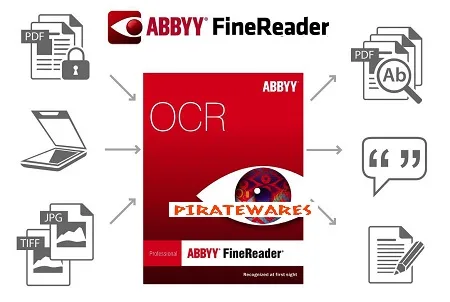
OCR is one of the main strengths of ABBYY FineReader PDF. The software analyzes scanned pages and image files to identify printed characters and convert them into digital text.
This feature helps users reuse information without manually typing entire documents. It can also create searchable PDFs from scanned pages, making it easier to find specific words and sections.
2. Convert Scanned Documents into Editable Files
FineReader can convert supported scanned documents and PDF files into editable formats. Depending on the source document, users can export content to Microsoft Word, Excel, PowerPoint, and other supported formats.
It also attempts to preserve the original layout, paragraphs, tables, and formatting during conversion. However, complex documents may still require manual corrections.
3. PDF Editing Tools
The PDF Editor provides tools for working directly with PDF documents. Users can edit text and images, add comments, organize pages, and make other supported changes.
These features reduce the need to convert every PDF into another format before making basic document adjustments.
4. Document Comparison
The document comparison feature helps identify differences between two versions of a document. It can be useful when reviewing revised contracts, reports, academic papers, and business documents.
Instead of checking every page manually, users can review the detected changes and focus on the sections that require attention.
5. Multilingual OCR Recognition
ABBYY FineReader PDF 16 supports recognition in 198 languages, according to its official technical specifications. These languages can be used in different combinations.
This broad language support makes the application useful for documents written in multiple languages. Recognition quality can still depend on scan quality, fonts, page layout, and the selected language settings.
6. Searchable PDF Creation
The software can create searchable PDF files from scanned documents. This is especially helpful when building digital archives or managing large collections of paper records.
Once recognition is complete, users can search for words and phrases instead of opening and reading every page manually.
7. Multiple File Formats
FineReader supports several document and image formats for importing and exporting files.
Common supported formats include:
- PDF and PDF/A
- DOC and DOCX
- XLS and XLSX
- PPTX
- RTF and TXT
- HTML and CSV
- TIFF, JPEG, PNG, and BMP
- EPUB and FB2
Some formats and integrations may require compatible third-party applications, such as Microsoft Office or LibreOffice.
What’s New in ABBYY FineReader PDF 16.0.14.7295?
Build 16.0.14.7295 belongs to FineReader PDF 16 Release 3 Update 2. According to ABBYY’s official release notes, this update primarily addressed bugs and stability issues.
The documented fixes included:
- Resolved several PDF Editor crashes involving specific digital signatures.
- Fixed issues with opening certain PDF documents containing Type 3 fonts.
- Improved handling of searchable PDF saving errors.
- Fixed problems involving Arabic text and ligatures in some documents.
- Corrected issues with document comparison and text positioning.
- Improved image-quality handling when saving searchable PDFs.
- Addressed problems involving Hebrew text conversion to DOCX.
- Fixed several issues with page organization and OCR recognition-area ordering.
These changes focused on improving reliability rather than introducing an entirely new set of features.
ABBYY FineReader PDF 16 System Requirements
Before installing the Windows edition, make sure your computer meets the following official minimum requirements.
Minimum Requirements
- Operating system: Windows 10 or Windows 11 (64-bit)
- Processor: 1 GHz or faster x64 processor
- RAM: 2 GB
- Storage: Approximately 1.6 GB for installation, plus additional free space for operation
- Display: 1024 × 768 resolution or higher
- Internet: Required for license activation
- Input devices: Keyboard and mouse or another pointing device
Recommended Requirements
- Processor: 1.5 GHz or faster Intel or AMD x64 processor
- RAM: 4 GB
- Storage: 1.6 GB for installation, plus additional free space
- Display: 1024 × 768 resolution or higher
- Internet: Required for activation
ABBYY also lists support for selected Windows Server environments, including Windows Server 2022, 2019, 2016, and 2012 R2.
Important: These requirements describe the Windows edition. ABBYY offers a separate FineReader PDF for Mac with different macOS and hardware requirements. Do not assume that the Windows installer works on macOS or Linux.
How to Install ABBYY FineReader PDF
Follow these steps to install the application through an official ABBYY installer:
- Visit ABBYY’s official FineReader download page.
- Select the appropriate Windows installer or trial edition.
- Download the installation file from ABBYY.
- Open the downloaded installer.
- Follow the instructions displayed by the setup wizard.
- Complete the installation and launch FineReader PDF.
- Activate the application using a valid license if required.
The trial edition can help you evaluate the software before purchasing a license. Avoid unofficial activation tools, modified installers, and unknown download sources because they can expose your computer and documents to security risks.
Frequently Asked Questions
Is ABBYY FineReader PDF 16.0.14.7295 the latest version?
No. Build 16.0.14.7295 is an older FineReader PDF 16 update released in August 2023. ABBYY’s official download listing shows a newer 2026 build, 16.26.6.6004.
What is ABBYY FineReader PDF used for?
It is used for OCR, scanned document recognition, PDF editing, document comparison, searchable PDF creation, and converting documents into editable formats.
How many languages does ABBYY FineReader PDF 16 support?
ABBYY’s FineReader PDF 16 technical specifications list 198 OCR recognition languages. Actual recognition results depend on document quality and language settings.
Can ABBYY FineReader convert scanned PDFs into Word documents?
Yes. It can recognize text in supported scanned PDFs and export the results into editable Word formats such as DOCX.
Does ABBYY FineReader PDF 16 work on Mac?
The Windows edition has Windows-specific requirements. ABBYY provides a separate FineReader PDF for Mac, which has its own macOS requirements and installer.
Is ABBYY FineReader PDF free?
ABBYY provides a trial edition for evaluation. Continued use of paid features requires an appropriate license. Check ABBYY’s official website for current licensing options.
Final Verdict
ABBYY FineReader PDF 16 is a capable document productivity application for people who regularly work with scanned papers, image-based PDFs, and editable office documents. Its OCR technology, PDF editing tools, document comparison, and multilingual recognition make it a useful option for managing digital documents.
Build 16.0.14.7295 is an older release, so users looking for the latest fixes should check ABBYY’s official download page before installing. Overall, FineReader PDF is worth considering when accurate document recognition and practical PDF management are important parts of your workflow.


Recent Comments