
Clean Master for PC Review: Features, Cleanup & Safety
Clean Master for PC Review: Features, Cleanup & Safety
Clean Master for PC is a Windows maintenance utility associated with Cheetah Mobile. It is designed to help users identify unnecessary files, manage selected startup applications, and remove certain browsing traces and temporary data.
The software belongs to the PC cleaning and optimization category. Its purpose is to make routine computer maintenance easier by bringing several cleanup options into one interface.
It is important to distinguish Clean Master for PC from the Android application. Although they share the same product name, their features, versions, and supported devices are not necessarily identical. This review focuses primarily on the Windows PC edition.
What Is Clean Master for PC?
Clean Master for PC is a utility designed to scan a Windows computer for selected types of unnecessary files and system clutter. It also advertises tools for startup management and browser privacy cleanup.
The application was originally introduced by Cheetah Mobile as a Windows desktop cleaning product. Its advertised purpose included identifying cache and junk files generated by applications, browsers, games, and Windows processes.
Users looking for a maintenance utility should understand that cleaning temporary files does not automatically make every computer faster. Results depend on the amount of unnecessary data present and the condition of the computer.
Key Features of Clean Master for PC
1. Junk File Cleanup
Clean Master for PC is designed to identify certain temporary files, application caches, and other unnecessary data.
Removing selected junk files can help recover storage space. Before deleting anything, users should review the scan results and avoid removing files they do not recognize.
2. PC Performance and Startup Management
The PC edition advertises tools for managing selected startup applications and background activities.
Some programs automatically launch when Windows starts. Reviewing unnecessary startup applications can help reduce background activity and may improve startup time.
Windows also provides its own startup management options through Task Manager, so users do not necessarily need a third-party cleaner for this task.
3. Privacy Cleanup
The software advertises privacy-cleaning functions for removing selected browsing traces and other activity records.
These tools may help clear local browser data, but deleting browsing history does not make a user anonymous online. Websites, internet providers, and other services may still retain information according to their own policies.
4. Application Cache Cleanup
Applications and browsers can create temporary files while being used. Over time, some of these files may occupy unnecessary storage space.
Clean Master for PC is designed to identify supported application junk files and provide cleanup options. The exact applications covered depend on the installed version.
5. Driver Management
Older descriptions of Clean Master for PC advertise driver-related scanning and management features.
Driver updates should always be handled carefully. Installing an incorrect or incompatible driver can cause hardware problems. Users should prefer the device manufacturer’s website or Windows Update when updating important drivers.
6. File and System Maintenance
The application has also been promoted as a general Windows maintenance utility. Its advertised tools include different scanning and cleanup functions intended to help users review the condition of their computers.
A scan result should not automatically be treated as proof that Windows has a serious problem. Review recommendations before allowing any utility to modify system settings.
Clean Master for PC vs Clean Master for Android
Clean Master has been associated with both Windows and Android products, but the two editions should not be treated as identical applications.
| Area | Clean Master for PC | Clean Master for Android |
|---|---|---|
| Main platform | Windows | Android |
| Main purpose | PC junk and privacy cleanup | Mobile storage cleanup |
| Temporary files | Supported PC cleanup categories | Selected mobile cache cleanup |
| Startup management | Advertised PC maintenance feature | Depends on Android app and device |
| Large-file management | Version-dependent | Available in some Android listings |
| Version numbering | Separate PC release history | Separate Android release history |
A version number found on an Android download page should not automatically be used as the Windows PC version.
What Is the Latest Version of Clean Master?
The version information for Clean Master requires careful attention because different platforms use different release numbers.
The version 9.4.9 mentioned in some software listings is associated with the Android version, not a verified current Windows PC release.
The Clean Master for PC website displays version 6.0 and lists Windows XP, Windows 7, Windows 8, and Windows 10 in its compatibility information. However, this information does not establish that version 6.0 is a newly released or fully supported 2026 edition.
Before installing an older PC release, check the publisher information, installer authenticity, compatibility, and available security updates.
Clean Master for PC System Requirements
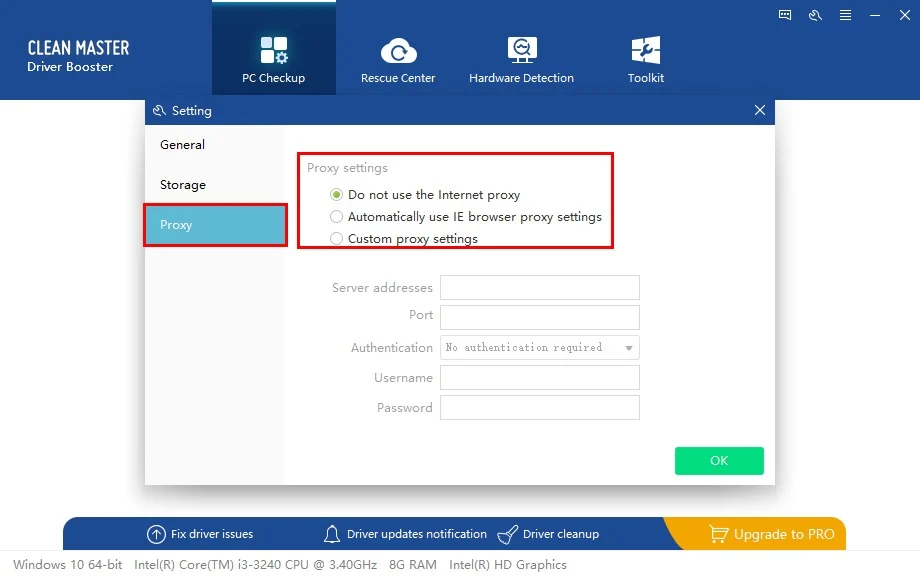
The official PC product page displays Windows XP, Windows 7, Windows 8, and Windows 10 as supported platforms for the listed version 6.0.
However, a complete, current hardware requirements specification could not be independently verified. The older requirements in many third-party articles should not be treated as confirmed requirements for a current Windows installation.
Before installing the application, consider the following:
- Check the exact Windows version supported by the installer.
- Confirm that the installer comes from a trustworthy publisher.
- Review the available disk space.
- Check whether the software is compatible with your Windows architecture.
- Avoid installing outdated builds on systems where security and compatibility are important.
Do not assume that Windows 11 is officially supported simply because an older download page lists Windows 10.
Is Clean Master for PC Safe?
Software safety depends on the exact installer, publisher, version, and source.
Clean Master for PC should not be described as 100% safe merely because a download page claims that an antivirus scan was performed. A scan result is not a permanent guarantee that a file is harmless.
Users should follow these precautions:
- Download software only from a source they can verify.
- Check the publisher and digital signature where available.
- Avoid modified installers and unauthorized activation tools.
- Keep Windows Security or another trusted antivirus enabled.
- Review cleanup results before deleting files.
- Create backups before making significant system changes.
Also remember that privacy-cleaning tools do not guarantee complete online anonymity.
How to Maintain a Windows PC Without Unnecessary Risk
Windows includes several built-in maintenance features that can handle many common cleanup tasks.
Use Storage Sense
- Open Windows Settings.
- Select System.
- Open Storage.
- Review Temporary files and other storage categories.
- Remove only the files you no longer need.
- Enable Storage Sense if you want Windows to manage selected temporary files automatically.
Review Startup Applications
- Press Ctrl + Shift + Esc.
- Open Task Manager.
- Select Startup apps.
- Review applications that launch when Windows starts.
- Disable only programs you recognize and do not need at startup.
Run a Security Scan
- Open Windows Security.
- Select Virus & threat protection.
- Open Scan options.
- Choose an appropriate scan.
- Follow the displayed instructions.
These built-in options can help with routine maintenance without relying on unknown optimization utilities.
Clean Master Alternatives
If you want to compare PC maintenance applications, consider these options:
System Mechanic Pro
System Mechanic Pro is a Windows maintenance application with cleanup, startup management, and additional system tools. Its available features depend on the edition and license.
You can also read our System Mechanic Pro review and features guide for more information.
SmartPCFixer
SmartPCFixer has been advertised as a Windows maintenance utility with registry scanning and troubleshooting functions. However, users should carefully review its reputation and potential security concerns before installing it.
Read our SmartPCFixer review and safety guide to understand its advertised features and limitations.
Windows Built-in Maintenance Tools
For many everyday tasks, Windows Storage Sense, Task Manager, Windows Security, and Windows Update are practical alternatives to third-party cleaning utilities.
Frequently Asked Questions
What is Clean Master for PC used for?
Clean Master for PC is a Windows maintenance utility designed to identify selected junk files, manage startup applications, and clean certain browsing traces.
Is Clean Master 9.4.9 available for Windows?
Version 9.4.9 appears in Android-related software listings. It should not be treated as a verified Windows PC release.
Does Clean Master make a computer faster?
It may help recover storage space or reduce selected startup activity. However, it cannot guarantee faster performance on every computer. Results depend on the system and the issues being addressed.
Does Clean Master support Windows 11?
The PC product page lists Windows XP, Windows 7, Windows 8, and Windows 10 for its displayed version 6.0. Windows 11 support was not clearly established in the available product information.
Is Clean Master free?
The PC website displays a free download option and a separate PRO edition. Current pricing, licensing conditions, and availability should be checked on the publisher’s website.
Is it necessary to disable Windows Defender before installation?
No. You should not disable Windows Defender to install an unfamiliar or modified cleaner. Use a verified installer and keep your security protection enabled.
Final Thoughts
Clean Master for PC is a Windows maintenance utility that has been promoted for junk-file cleanup, startup management, and privacy-related maintenance. Its advertised features may be useful for users who want to review selected areas of their computers through one interface.
However, its version history and compatibility information should be checked carefully. The Android version 9.4.9 is not proof of a current Windows release, and older compatibility listings should not be treated as confirmation of Windows 11 support.
For everyday maintenance, Windows already includes useful tools such as Storage Sense, Task Manager, and Windows Security. Users should compare these built-in options with third-party utilities before installing additional software.



Recent Comments